
Case Study: O2 Academy, Leeds UK
Introduction – One Hundred and Forty Years of Entertaining
Leeds is a city with a vibrant student population and going hand in hand with the university campus buildings spread across the city centre is a thriving pub and entertainment culture.

Nothing to see here on the ring road… (©Google Maps)
Development work appears to be everywhere – student accommodation or office space and driving round Leeds’ inner ring road, there’s some serious sixties demolition underway.

Goodbye sixties Brutalist car park, hello student accommodation.
So, the approach to the O2 Academy doesn’t quite prepare you for the grandeur of the building…

The O2 Academy 2025 looking splendid amidst the modernity.
Erected in 1885 and originally known as the Coliseum, the building was originally designed as a concert hall and theatre, so performance and entertainment have always been central to its purpose. Through the decades it has been a theatre in the late 1920s and then a cinema up until the early 1960s.
As with a lot of British cinemas in city centres, conversion to a bingo hall was part of its past but, unlike many, did not indicate the start of the end for this amazing building. Following a brief stint as a film and TV studio in the 1970s, it received a Grade 1 listed status in 1975, ensuring its protection from demolition or extensive remodeling.
The building was transformed into the now legendary “Town & Country Club” music venue in 1992 hosting acts such as Blur, INXS, Suede, Primal Scream and the Stone Roses. The turn of the century spelled the end of the T&CC era and Creation Nightclub briefly took over for a few years, with the eventual reinstatement as a serious live music venue once again in 2008 when the Carling Academy was born.
This reopening was heralded as a landmark moment in the history of the Coliseum, with the Kaiser Chiefs headlining the launch night to a sold out crowd.

Yorkshire Evening Post love the Kaiser Chiefs.
And now we are almost up to date!
Complete Venue Service from Adlib
Adlib, a leader in professional audio, visual and lighting installations in the UK, were originally tasked with the venue fitout in 2008. George Puttock, Systems Technical Manager explains more, filling in some of the venue’s audio history.
“We got the contract back in 2008, and since that time it’s always been d&b J Series in the main room. I suppose the J Series was only a year old back then. Together with the d&b was a Martin Audio monitoring system.”
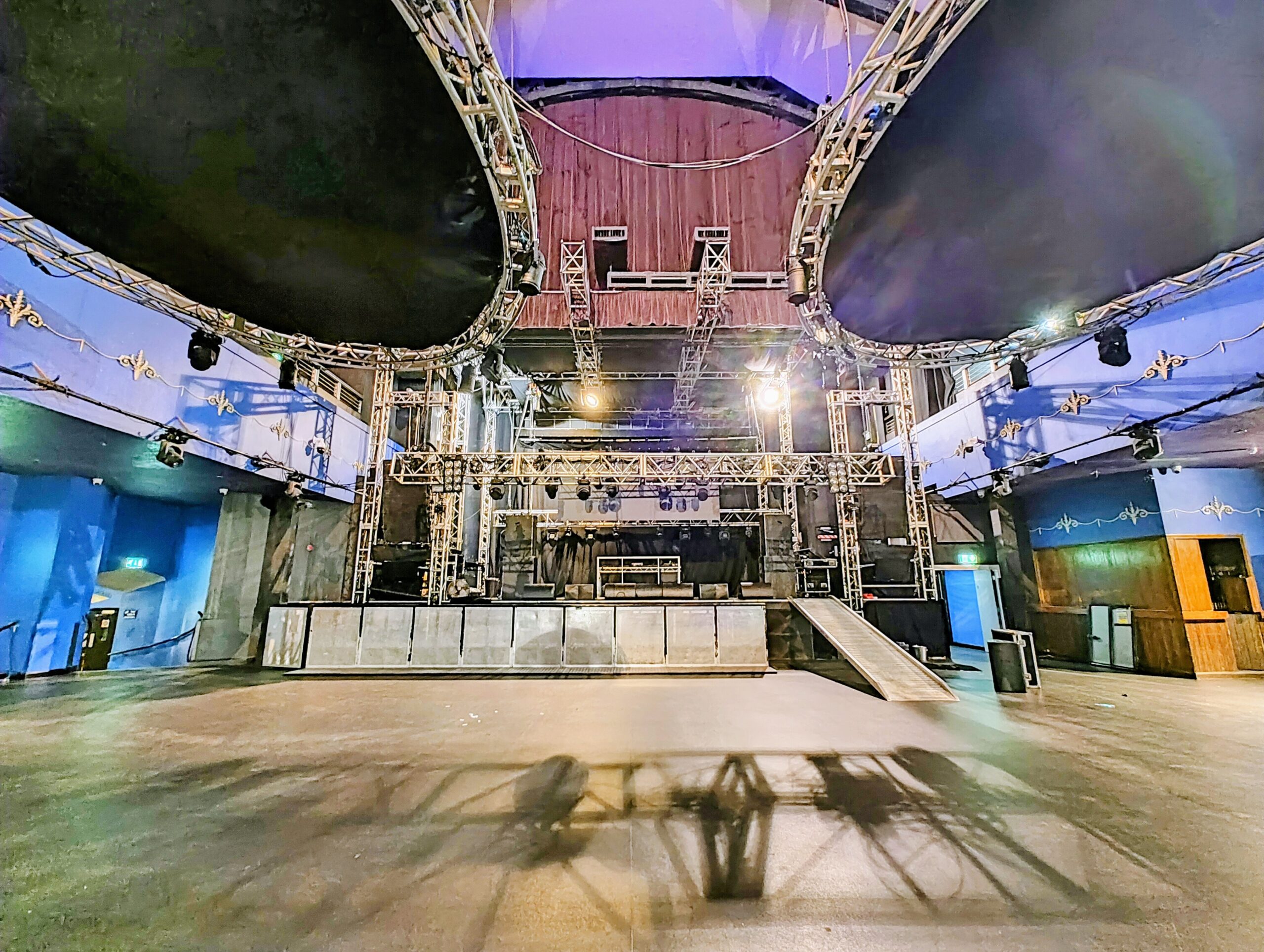
Main Room with capacity of 2300. Trussing lowered for service!
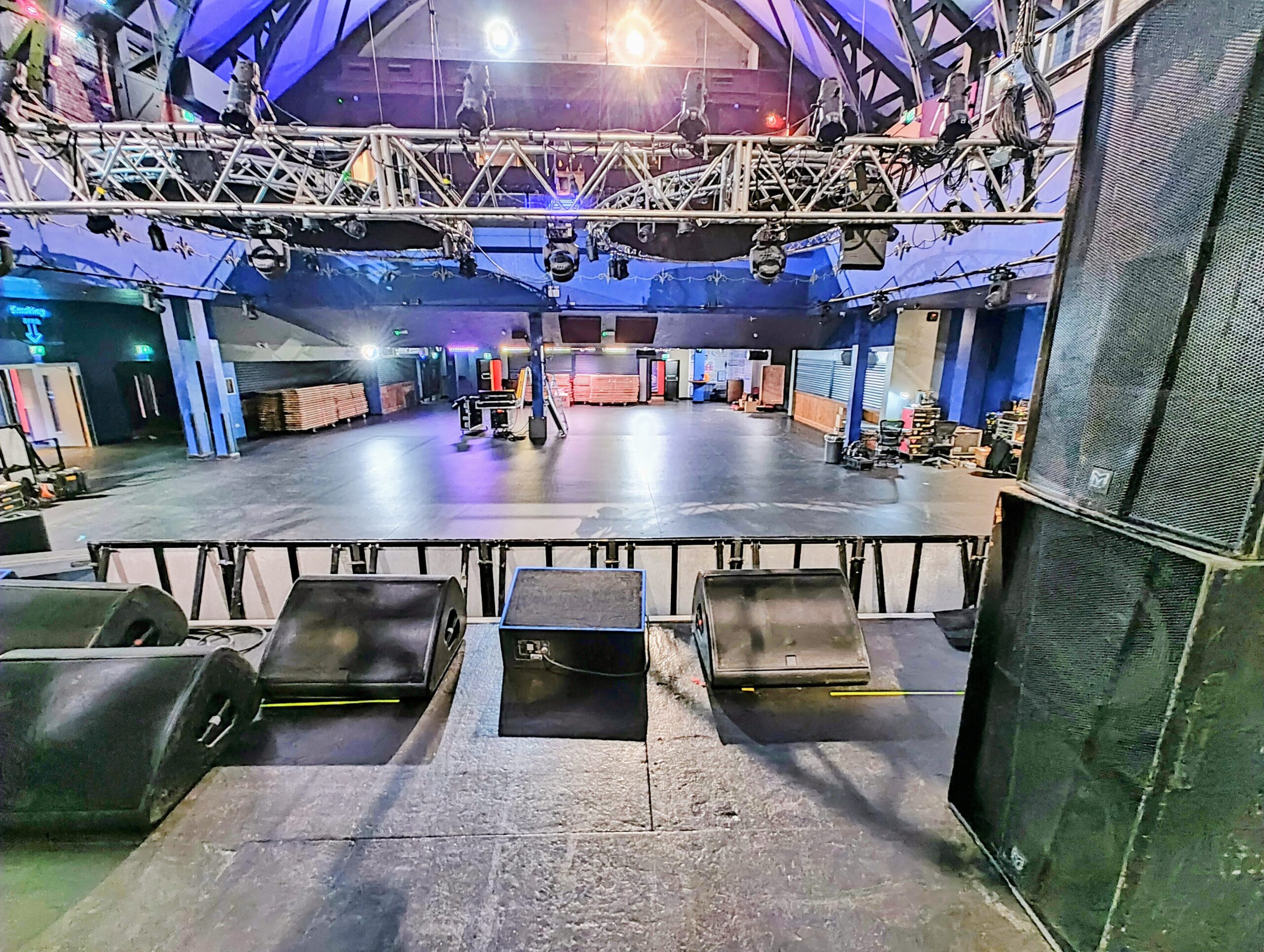
View from stage with Martin monitors (and a cheeky Turbosound).
George continues: “All the processing was BSS Soundweb which was very futuristic when it first went in and offered them all the processing and routing capabilities they needed at the time.” George reflects further on the BSS processing:
“The Soundweb system was starting to show its age with parts starting to fail. Given we know its specs can’t really compete with modern kit, the venue thought it was about time to replace it. This is where we suggested the NST processing – both in terms if its flexibility but also, crucially, the audio quality [of the kit].”

Out with the old…
To increase the main room flexibility and make it more adaptable for different scenarios, instead of just replacing like-for-like in terms of processing, Adlib decided to add a DM88 into the system to be used as a console switcher and system EQ.
George explains: “The DM88 is used as a system ‘Front End’ to mix/mux the various consoles together and also offer the possibility to run the system from the stage, which is necessary for some of the shows with disco/bingo where there isn’t a FOH position on the floor ‘wasting space’.”
“The DM88 provides the ability to failover from AES to Analog, provides switching for Left / Right, Left/Right/Sub, or Left/Right/Sub/Fill for various combinations. There are some slight broad-brush stroke EQ’s in there too, but they’re the more ‘subjective’ ones on the system (only a couple) based on taste – the ‘scientific’ filters / calibration resides in the amps, theory being these gains / times in the amps are ‘set’ and forgotten about, then the DM88 presents a blank canvas to visiting engineers, to allow them to make other changes.”
Giving engineers the ability to tweak the house sound to their taste in D-Net but giving the venue the ability to clear this out after each show prevents “file creep” which George admits can be an “infection that often plagues venues with parameters accessible to all!”
The DM88 isn’t the only kit that’s part of this audio upgrade in this sizeable refit, so let’s have a look at the system file and walk through the various processors and control aspects in it.
Better Processing, Better Control
Adlib kindly shared the venue’s D-Net system file with us so we could examine it and with some extra info from George, we can examine the structure and the “wheres and whys”.
The venue itself is split between the main stage and monitors and the lower bar with second system and DJ booth.
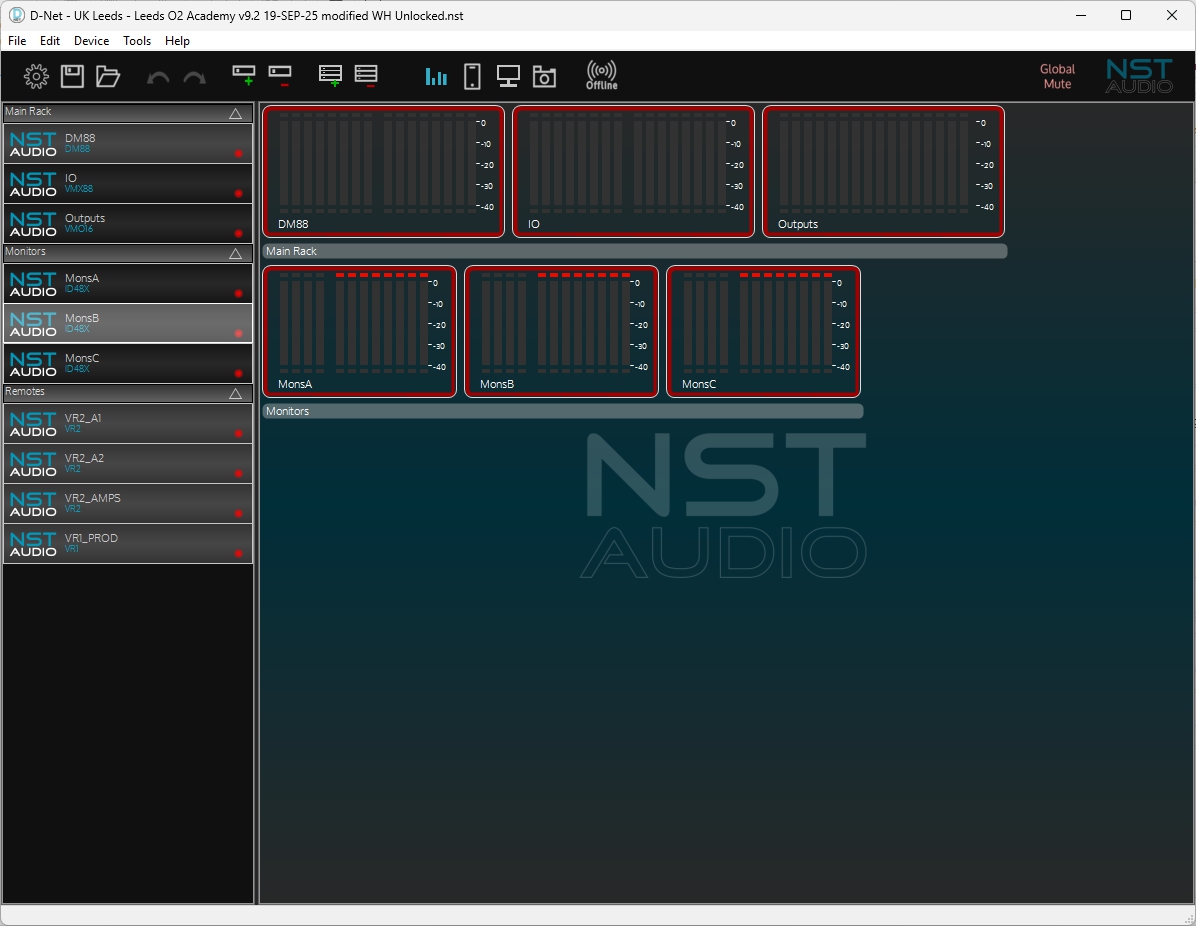
The system is organised into the main rack processing which covers the main room system and lower bar system ”Main Rack”, the monitor rack for on-stage monitors – “Monitors”, and the control sections of the system in the “Remotes” section.
“Main Rack” – DM88
As George had outlined earlier, “The DM88 is used as a system ‘Front End’ to mix/mux the various consoles together and also offer the possibility to run the system from the stage, which is necessary for some of the shows with disco/bingo where there isn’t a FOH position on the floor ‘wasting space’.”
As the DM88 is driving the d&b amplifiers which have their own DSP and locked/optimised settings for the J-Series speaker system, it’s some of the DM88’s other key features that make it the perfect fit for the system front end.
Looking into its configuration we can quickly work out how it’s being used and the ingenious way that George has decided to use it to his (and the venue’s advantage).
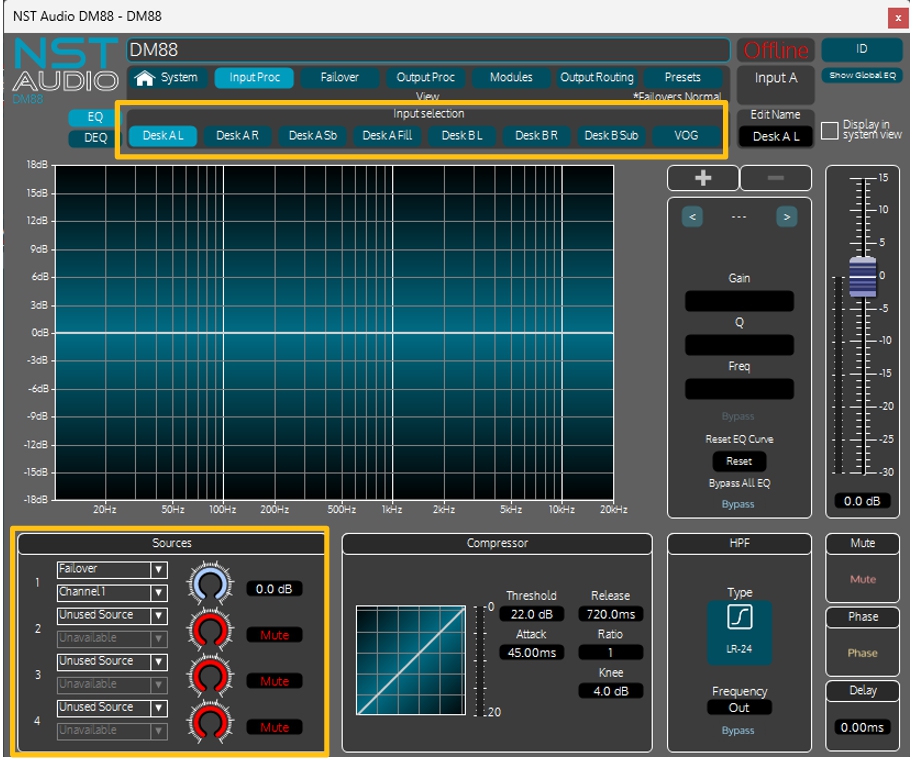
Checking out the input processing, the eight channels are split across a l/R/Sub/Fill set of feeds from the main desk, and a L/R/Sub set from the secondary desk on stage, plus a permanent VOG channel. Note that the labelling here of the input processing channels is in addition to the labelling of the physical inputs themselves.
This is because the sources of these processing channels can be changed in real time either by the failover system or by remote control using a VR1 or VR2.
So, input processing channel, “Desk A L”, is fed from the failover system channel 1, and “Desk A R” is fed from failover channel 2:
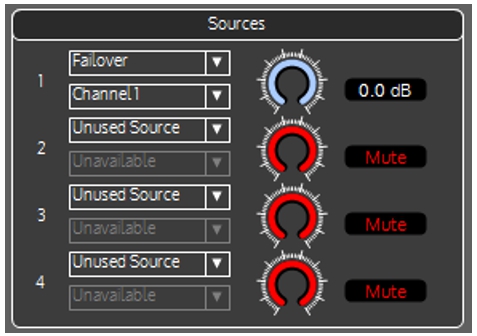
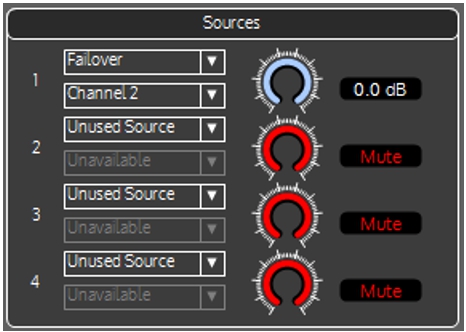
The main desk sub and fill processing channels take feeds from both failover channels 1&2 mono-summed at -6dB:
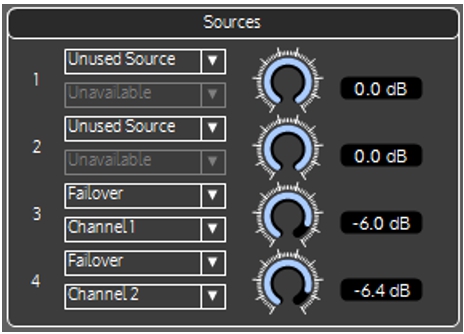
The inputs from the second desk are sourced directly from Dante with L/R/Sub being derived from Dante channels 5&6 (and summed for the sub channel on the processing channel on 7).

This summary view is on the System view along with real time metering of every input, output and processing channel. Note the different colour of the sources of the processing channels with the failover in magenta and direct from Dante in purple. The VOG channel is from analogue input 8 (yellow).
Use of Failover – differently!
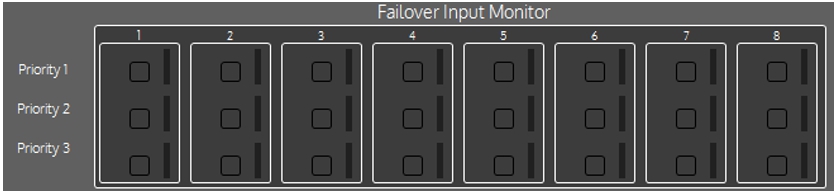
The failover system on the DM88 by default offers three levels of security – Dante is the highest level priority source, and should that fail, an AES signal on the same channel number is chosen. Should that be lost, the channel will switch to using the appropriate analogue input.
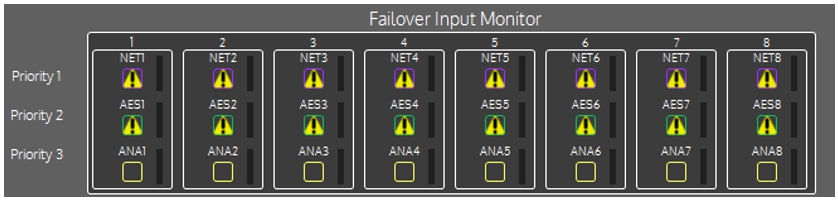
Default failover configuration (not used in Leeds!)
(The warning symbols on all the network audio and AES inputs are displayed here as the system is offline.)
The system is being used slightly differently at the O2. Failover is in place for the main desk in “A1”, with two level AES > Analogue being used across the first four inputs (L/R/Sub/Fill).
It’s also configured for all the other failover channels, but as evidenced in the source choices on the previous page, the second stage desk comes in direct from Dante on 5&6, and isn’t using failover. Channel 8 is direct from analogue 8 (VOG) so failover isn’t even configured.

The choice to not use failover for the second desk is for cabling practicality purposes and also as it’s the main monitoring desk that is more permanently configured for connection to the monitoring system. The ability to send main L/R on Dante as well as analogue or AES is a bonus that allows it to be switched to the main system with no rewiring for those times when it’s in use on stage on its own.
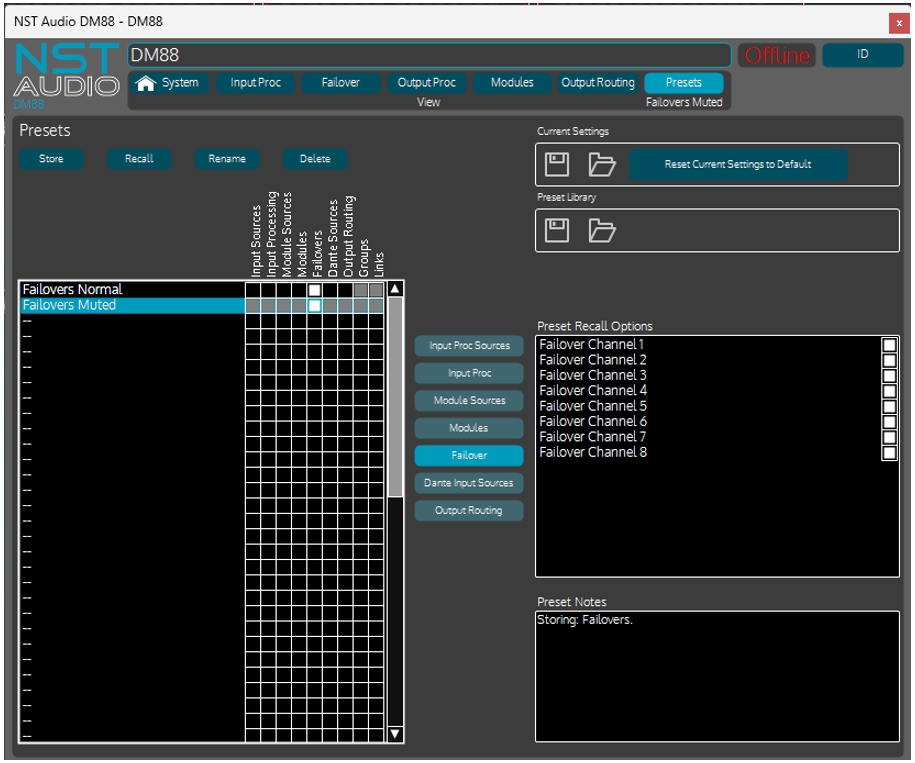
George has used failover differently by creating a couple of “failover only” presets.
The “normal” state is as above, but he also has a “failover muted” preset which has no sources selected, so will effectively mute the main system:
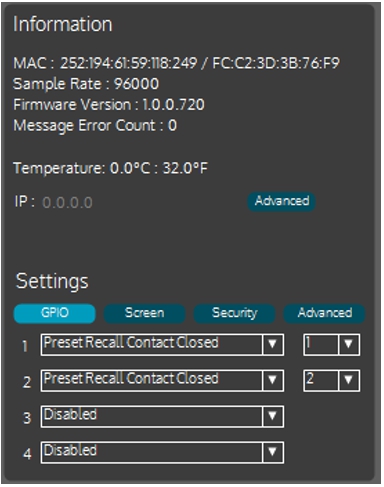
George also then set up two presets to use with the GPI ports for connection to the Fire Alarm evacuation system:
…and assigned these to two GPI triggers via a changeover relay (externally):
“Main Rack” – DM88 – Main System EQ
The DM88 is in charge of console switching, actioned using a VR2 remote on the side of the main stage, which we will look into in the next section, but it’s also being used as a powerful system EQ for visiting engineers, as well as providing permanent EQ tailoring for the venue.
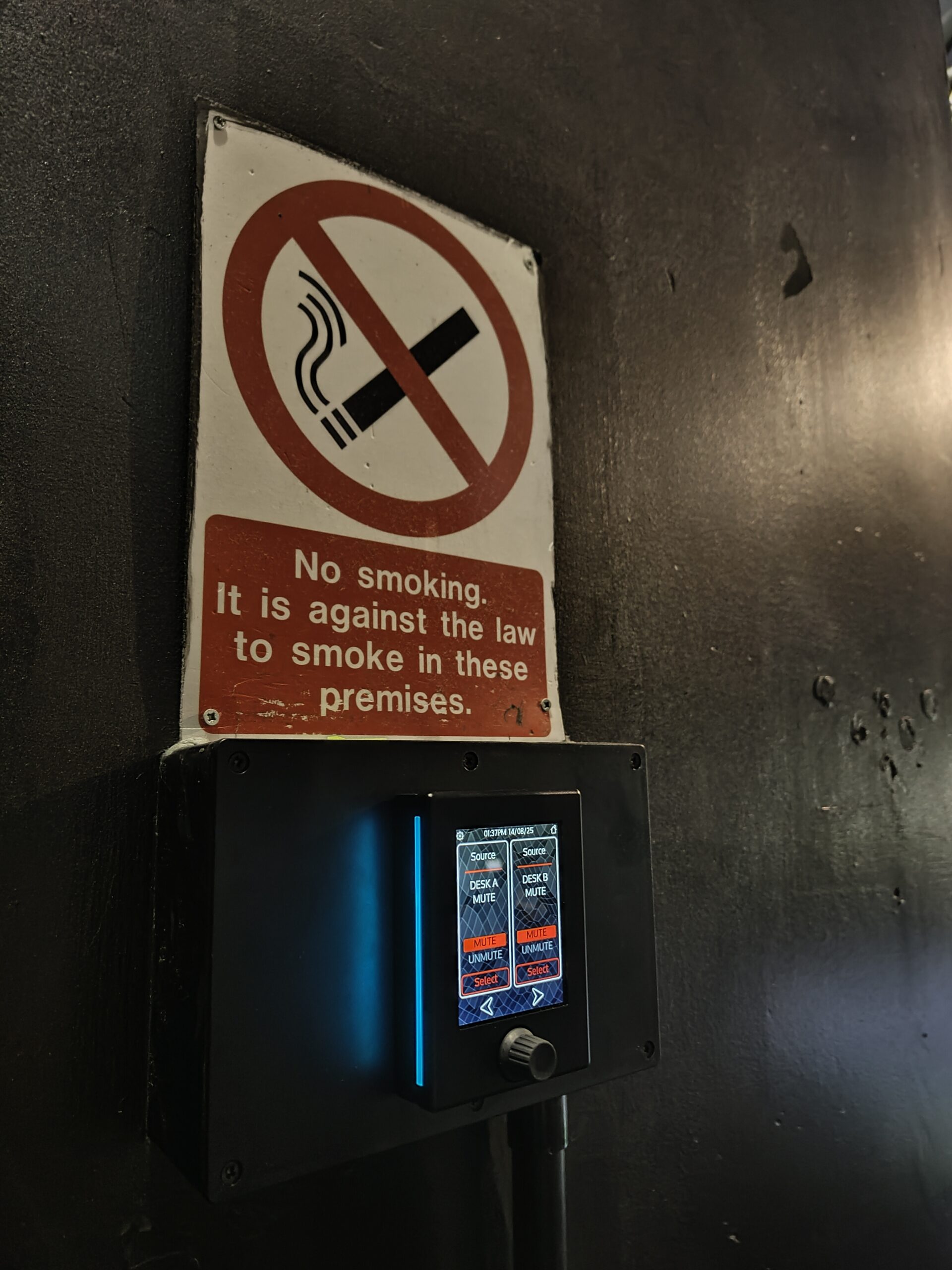
Main stage VR2 with desk switching (more to come…!)
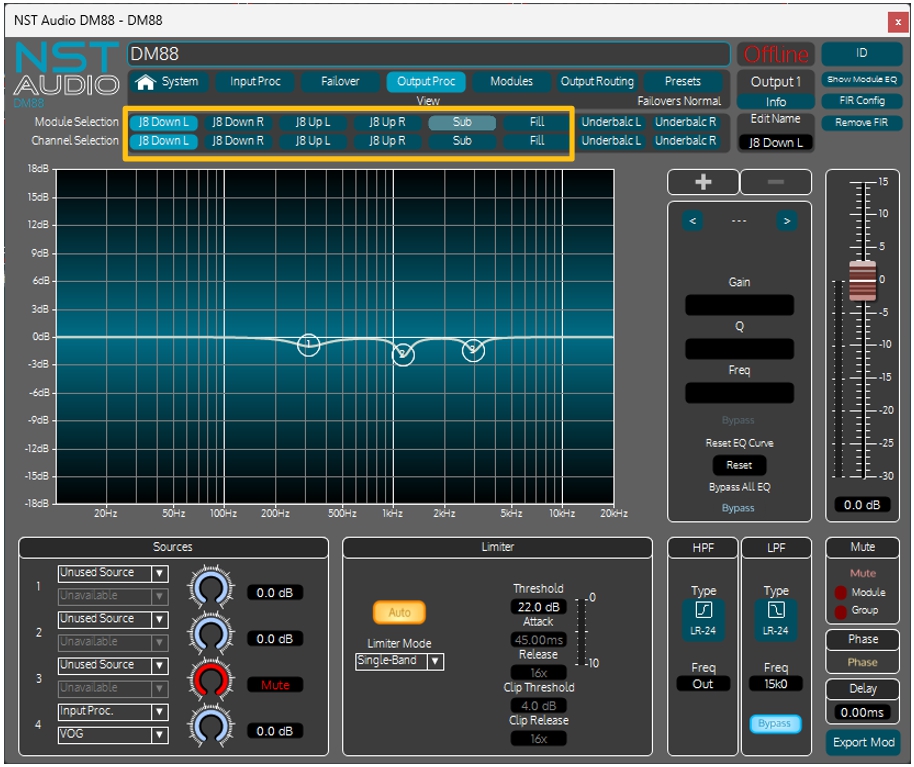
Checking out the Output Processing channels on the DM88, we see that the first six outputs are dedicate to the main system:
“J8 Down L” to “Fill”. There’s a small amount of corrective EQ applied.
Typically, visiting engineers won’t get access to apply any other EQ here; it would be applied at the input processing with a pair of linked channels.
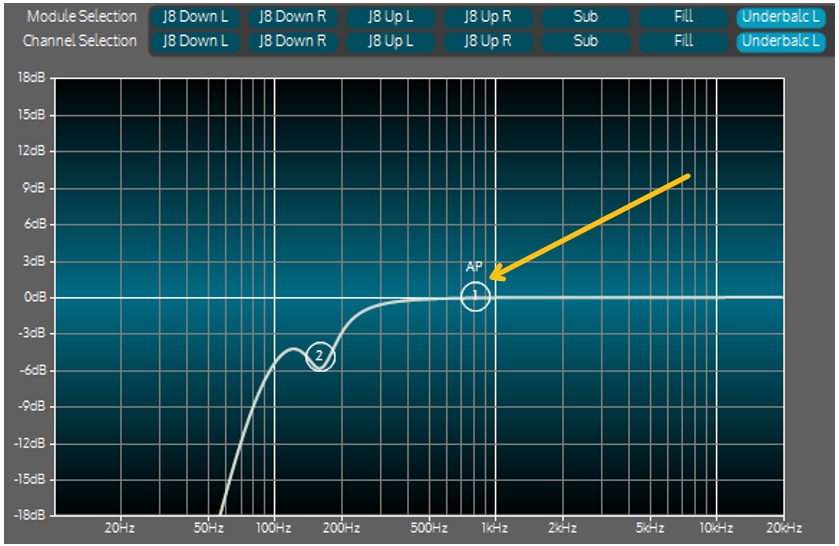
The under balcony channels have some LF roll-off and a little phase correction applied, like this:
“Main Rack” – DM88 – Final Routing
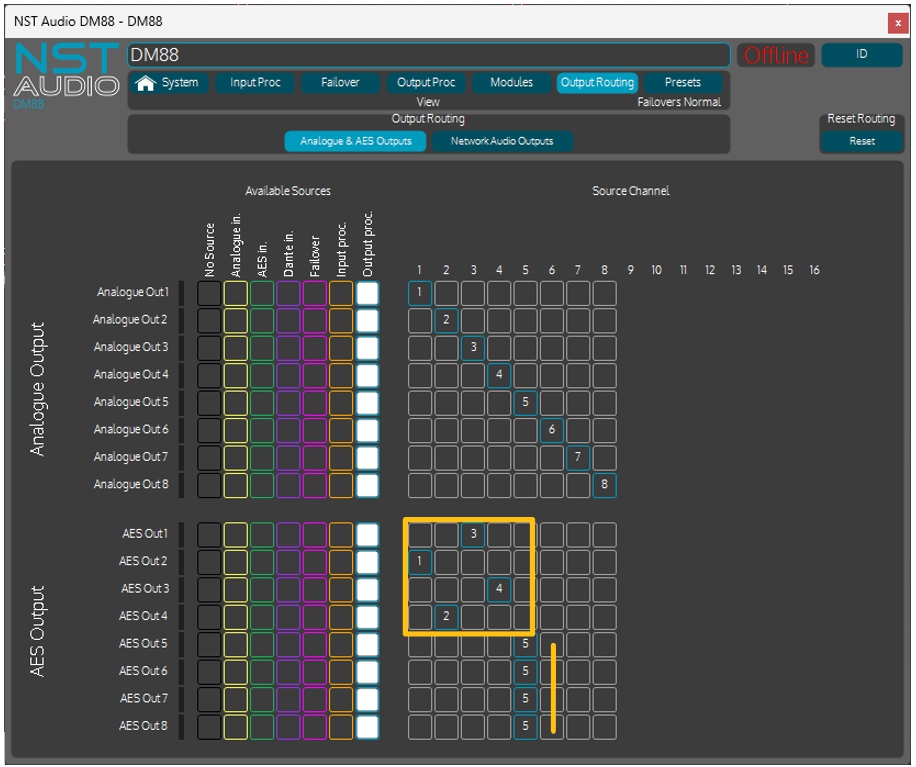
The D-Series amps that drive the main d&b system have AES inputs for better signal integrity and the DM88’s AES outputs are configured to this end, with the mono “Fill” output going out on two more AES pairs for distribution.
Checking the Network Audio Outputs, the main L/R of the system is distributed via Dante so it can be picked up by the other processors for zoning use.
The VOG input is also distributed via Dante on channel 8.

“Monitors”
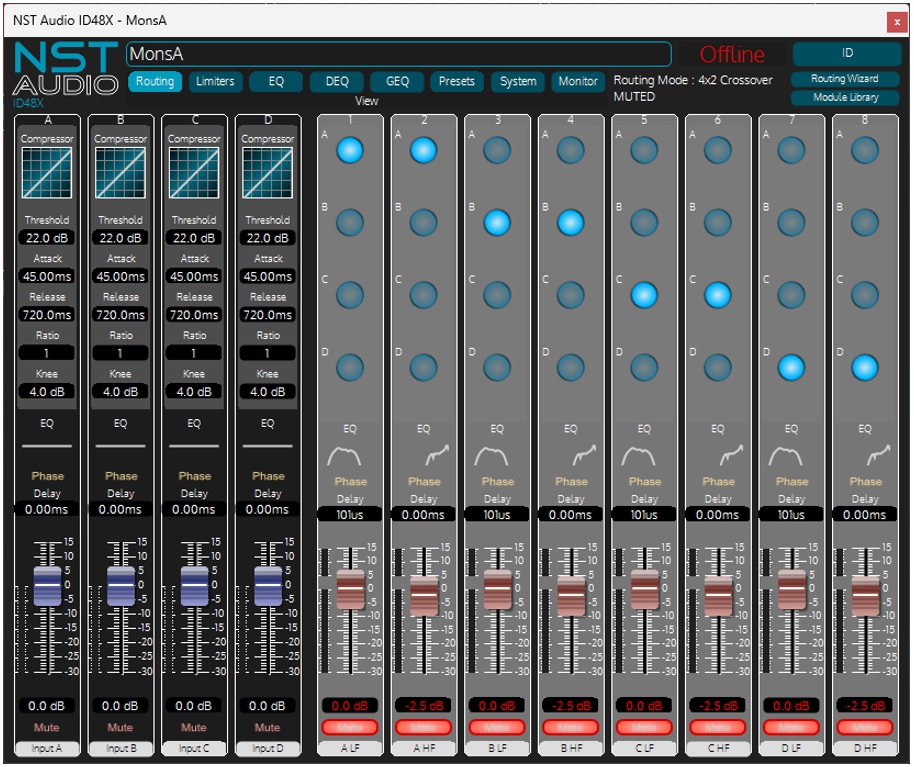
The monitors management for the main room stage (known as “A1”, with the lower bar system being known as “A2”) is the most straightforward upgrade for the venue, replacing BSS FDS-334 Minidrive processors with NST ID48X devices. As well as reducing the number of processors (the BSS units were 2 in, 4 out, the ID48X is 4 in 8 out, but in 1U), George commented that the Crown amps driven by the processors had already had their inbuilt DSP disabled in favour of external processing.
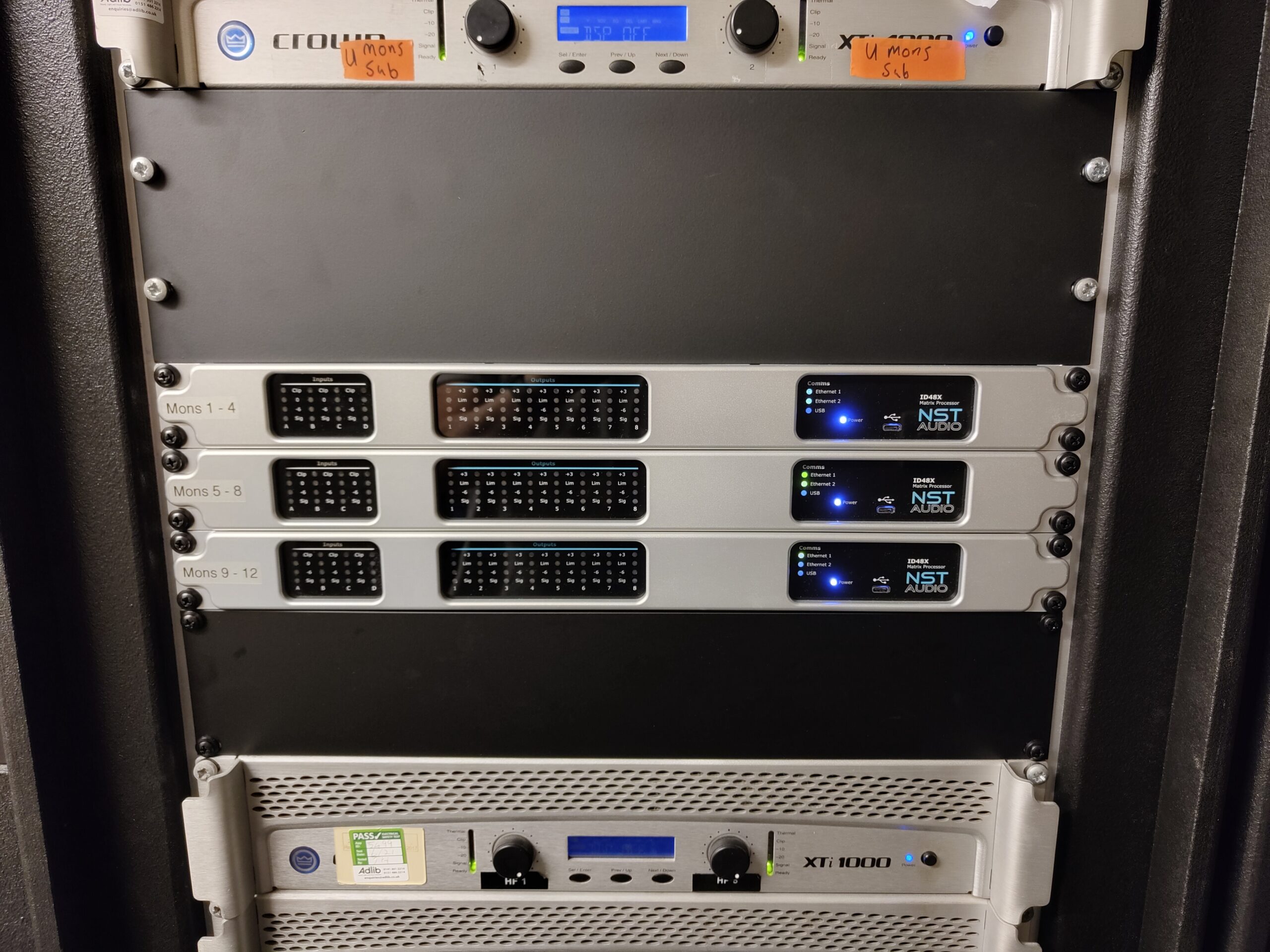
ID48Xs on speaker management for all monitors.

“DSP OFF” already the Crown amps on monitor duties.
“The DSP within them isn’t amazing, hence why they originally had Omnidrives in front of them. These were replaced with the IDX48, which were a super simple drop-in replacement.”
Opening up the three ID48X units in the rack on D-Net we can see the 2-way settings in use for the 8 floor monitors on the first two devices, “MonsA” and “MonsB”, essentially identical in configuration:

The third ID48X, “MonsC” handles the 3-way stage side fills and a drum sub:

With all IO on all monitoring being analogue, the inputs from the monitor desk on stage are also kept in the analogue domain as they are fed to/from the control room physical racks.
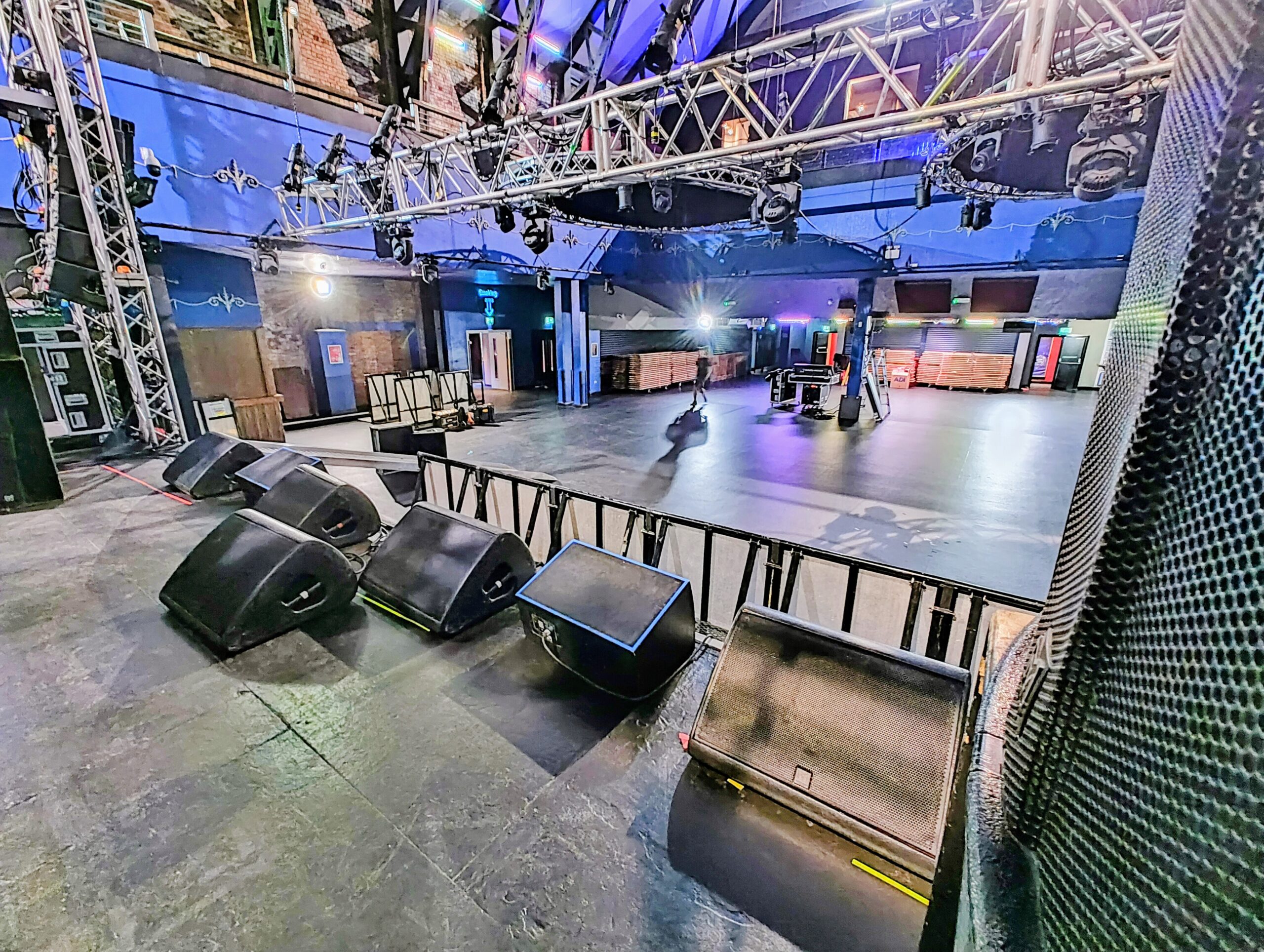
Monitors and just a glimpse of side fills on A1 main stage.
“Main Rack” – VMX88
Moving on to examine the configuration of the main processing and routing for both the A1 FOH system, and the A2 (lower bar) system things get a little more complex!
In a typical hybrid music venue\club system, there will be many more outputs than inputs as whilst the venue obviously has to offer support with the house PA, it is entirely possible that the visiting act will use their own desk and just connect into the main system controller and downstream speaker management/zoning systems.
Inputs that are “permanent” will be sources such as DJ mixers, Bluetooth or streaming services for background music playback, EVAC playout, and VOG messagers.
Considering the topology of the O2 Academy Leeds, the FOH system in the main “A1” room is a d&b J Series, which is supplied with their own D-Series amplifiers. As George explains,
“…the ‘scientific’ filters / calibration resides in the amps; theory being these gains / times in the amps are ‘set’ and forgotten about…”
Whilst this would seem to imply that much of the system processing is therefore offloaded to the d&b amps, this is only true for FOH. The Turbosound Aspect system in “A2” and all other speaker systems still require protection, EQ and zone control.
Let’s look at the VMX88 which is responsible for handling the analogue sources around the venue.
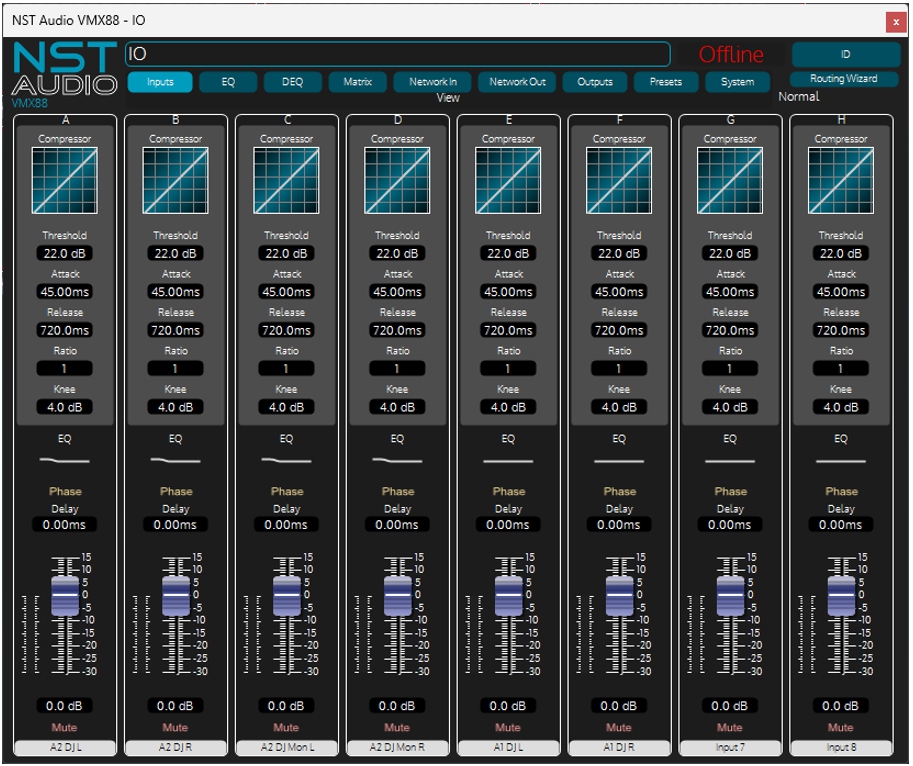
The DJ in the lower bar “A2” comes in on A&B, with a slight EQ boost at the LF, as do the DJ’s monitors on C&D.
The DJ position in the main room “A1” comes in on E&F. Many of the choices of inputs are determined by required routing choices to be made available in the variety of BTS locations such as the production tech offices, or for corridors and toilets.
A quick look at the outputs and we see that there are crossovers in place for the “A2” DJ’s booth as it’s a FR+Sub system, and outputs 4-6 running feeds for a mono confidence feed to the tech office, and a stereo feed to the production office. The main DJ feeds for “A1” are on outputs 7&8.
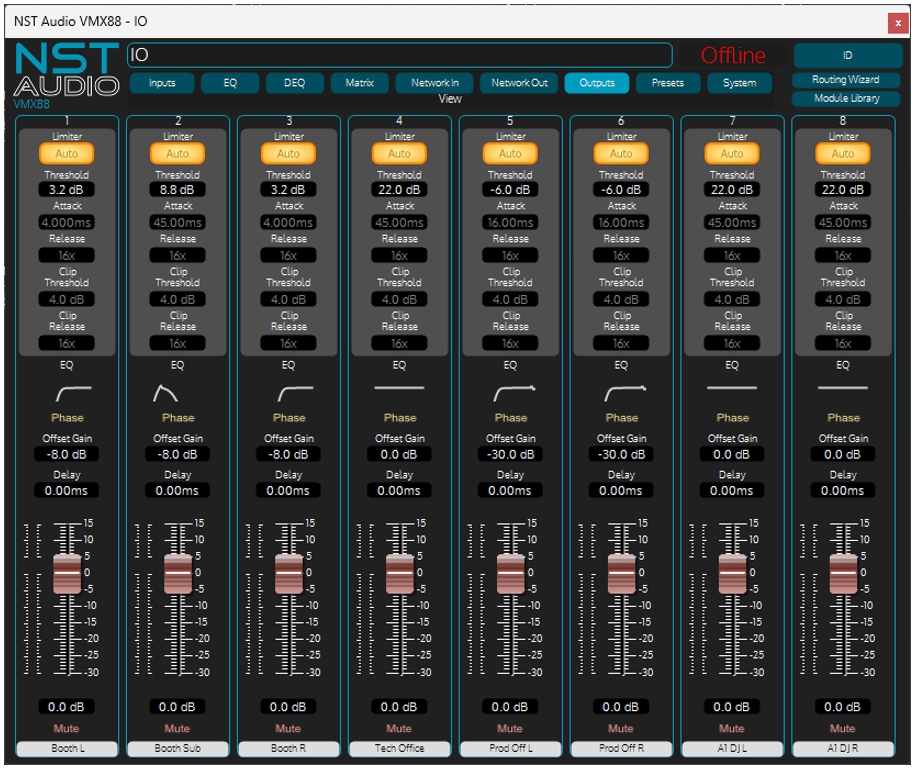
Notably, all these inputs are deliberately being sent back out on Dante too, so they can be selected in other locations by ancillary outputs or zones such as corridors or toilets as mentioned earlier.
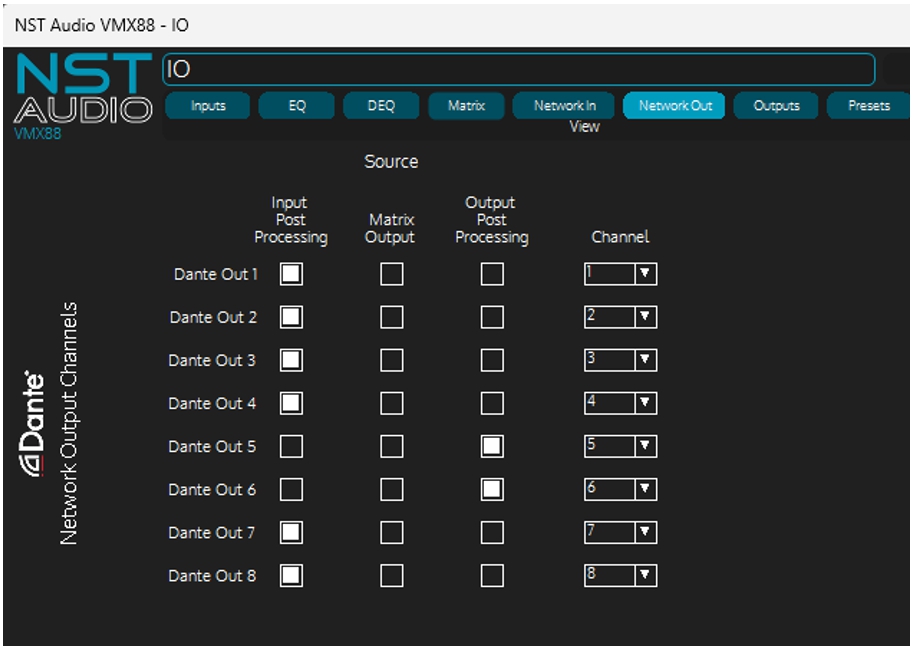
The VMX88 isn’t handling a lot of Dante in this case, but the VOG feed is in place permanently as we see by examining the analogue and network matrix routings.
The FR+Sub for the “A2” DJ booth gets a stereo feed from the DJ mixer’s monitor mix outputs here. The sub gets a summed feed of L+R.
Whilst the “Tech Office” and stereo “Prod Office” outputs appear to not have any audio routed to them, this is only due to the fact that we are looking at a “static” view of the system.
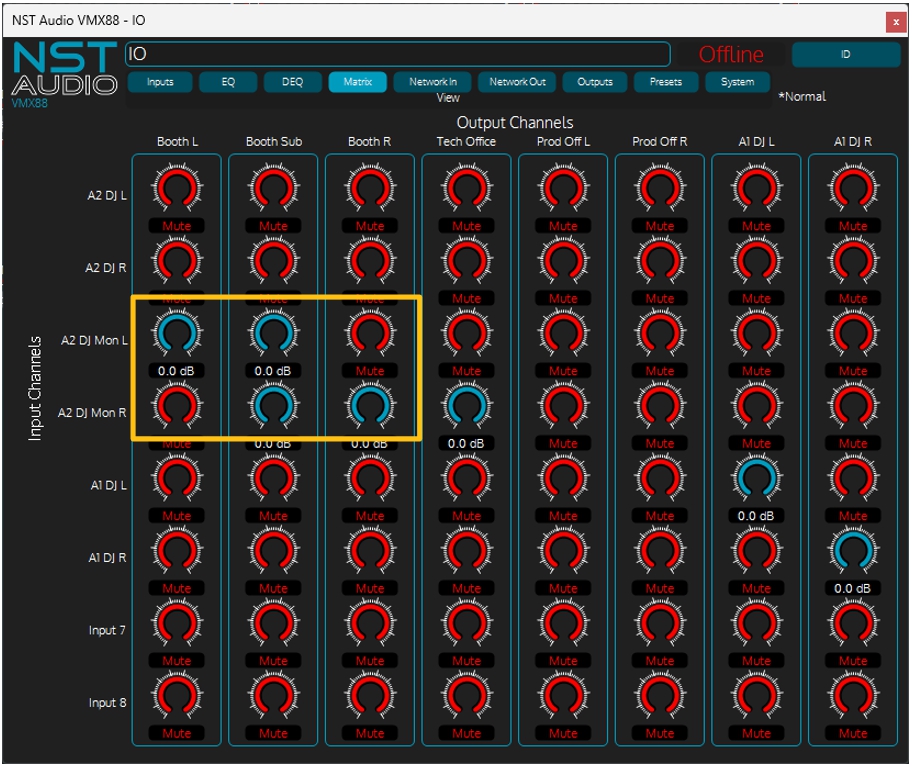
In actual use, these matrix feeds can be adjusted at will in real time using the VR1 and VR2 venue remotes that are designed into the system so different sources can be selected and levels adjusted as required. As mentioned above, the VMX doesn’t appear to be handling a lot of Dante routing, but again this is deceptive.
Dante In 1 & 2 are Dante feeds from the “A1” DJ mixer (the correct labels would be shown on a live system where they would be pulled from the Dante card, labelled up via Dante Controller).
This is why in this “snapshot” of the system , the “Prod Off” outputs are fed from Dante 1&2.

Note that all outputs receive a feed from Dante In 8 which is the VOG dedicated channel for the entire venue. This would be used for information and safety announcements to alert staff and customers: “Please exit quietly, thank you for visiting.” or the more important “Bar closing in 10 minutes”!
“Main Rack” – VMO16
Moving on to the VMO16 – this processor is Dante in only and provides 16 analogue processed outputs with a full mix matrix. Let’s look at how this has been configured.
The Turbosound Aspect system in the venue has been fully serviced, with a torn low-mid driver re-coned, and a blown HF plus a low output HF replaced.

The system is “in the round” with speakers positioned in the four corners of the room:

“A2” Underground room approximate plan (not to scale).
The Aspect system consists of a 3-way top cab, plus a sub, and an infra-bass which can be muted and controlled independently if required. This means that the speaker management of this configuration will require 10 outputs of the VMO16, so on outputs 9-16 on the second page, we have the remainder of the Aspect output channels plus some ancillary zones:

Note that this is the config stored in the preset labelled “Normal”, so this is the system default.

Examining the network matrix (remember the VMO is Dante input only so no analogue matrix), the “moment in time” reveals that the feeds to the main system are as expected, with the first 10 outputs fed in stereo from Dante 3 & 4 which are the “A2” DJ feeds.
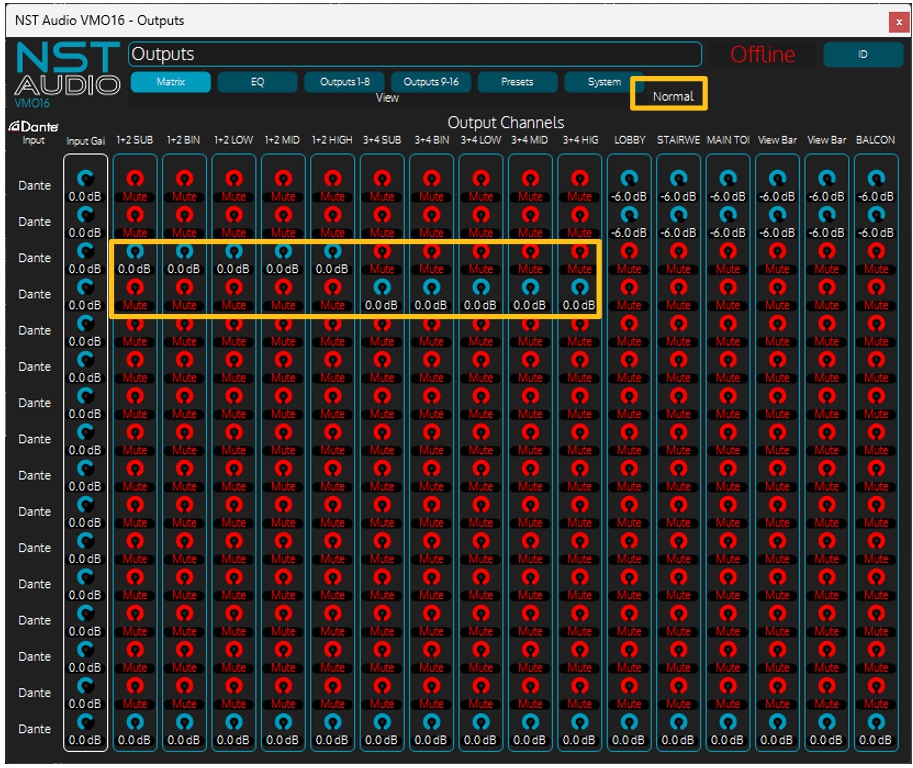
Checking what is changed when the other presets are recalled shows for the “A2 from A1” is a swap from
Dante 3&4 to Dante 1&2 allowing the system in the bar to be playing whatever is on upstairs in the main room.

This would be actioned with a VR1 or VR2 venue remote. We will investigate the configuration of these in the system later.
“Remotes” – Useful safe system adaptation
The clever use of VR1 and VR2 venue remotes leave the end users and venue staff with the ability to control aspects of the system, but without gaining access to key configuration settings that could result in an unusable state.
This aids confidence for the staff, cuts down on support calls, and makes the entire venue’s audio perform better.
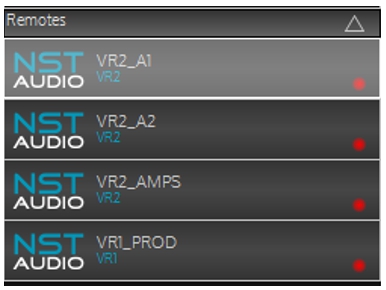
Adlib have installed four remotes throughout the venue:
“VR2_A1”: Located on the stage, this remote can control console switching; console muting; format selection (L/R or L/R/Sub etc); Zone levels; Monitors muting.
“VR2_A2”: Located in the DJ booth, this can access the overall level; DJ Booth level and room source (A1 or A2). Password protected.
“VR2_Amps”: Located in the amp room, this can adjust various ancillary levels (toilets, BOH, stairwell etc.), and choose A1/A2 sources.
“VR1_Prod”: In the production office, more basic control with local volume and A1/A2 source choices.
We will not go under the bonnet of all these configurations but just look at the one next to the main stage, “VR2_A1” which offers the most insightful use of the venue remotes.

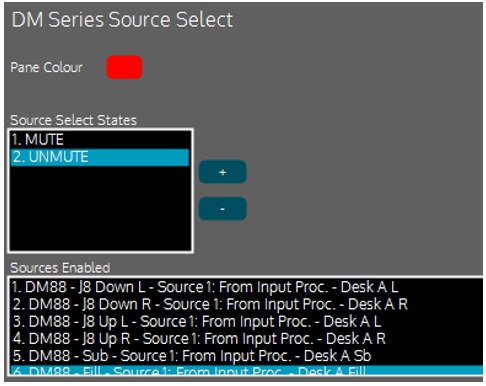
Panes 1& 2 that deal with desk muting, do so by swapping the DM88 output processing source selections between “Unused” and the required routing.
The state shown,”MUTE”, obviously has all these sources as “Unused” and this is swapped as below for the “UNMUTE” state:
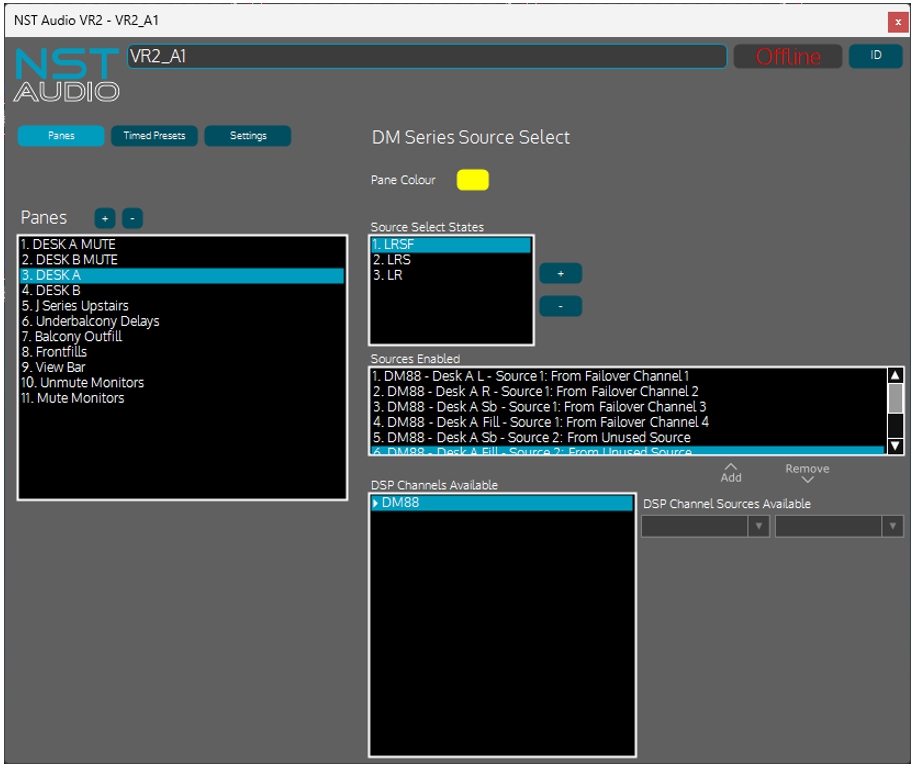
Pane 3 that deals with the system formats, does so by swapping the DM88 input processing sources to mute or unmute sections of the main system.
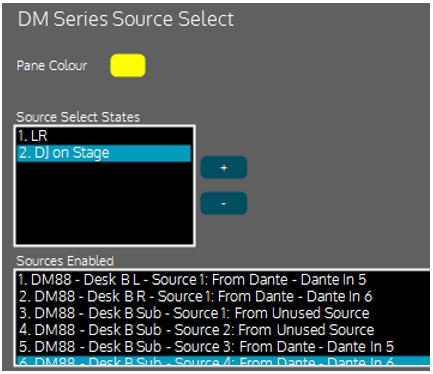
Pane 4 deals with the config of the stage desk usage. It does so by swapping the DM88 input processing between failover feeds (from the desk itself via AES/analogue through failover) or direct Dante feed from the DJ mixer position.

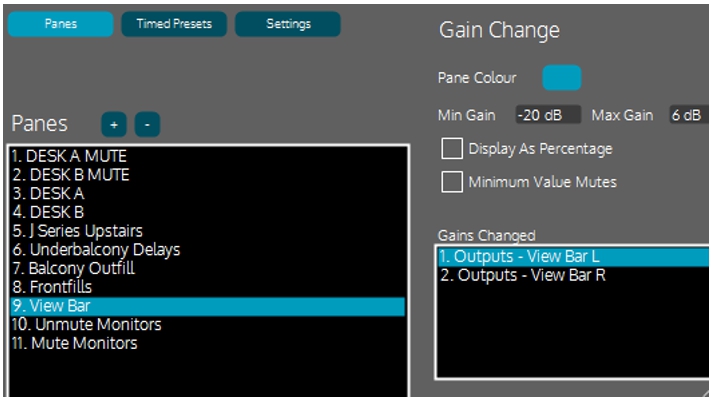
Panes 5-9 are level controls, adjusting output levels (with limits on the control range adjustment!).
Pane 9, for example, is level control for the stereo pair above the bar adjusting a pair of outputs on the VMO16.
Lastly, panes 10 & 11 unmute and mute the stage monitors using a pair of presets stored in each ID48X.


George has this to say about setting up the remotes:
“The integration of how the VR2 & VR1 work in the ecosystem is perfect, simple enough to do things quickly, complicated enough to get to the real nuts-and-bolts. Makes for a very quick setup!”
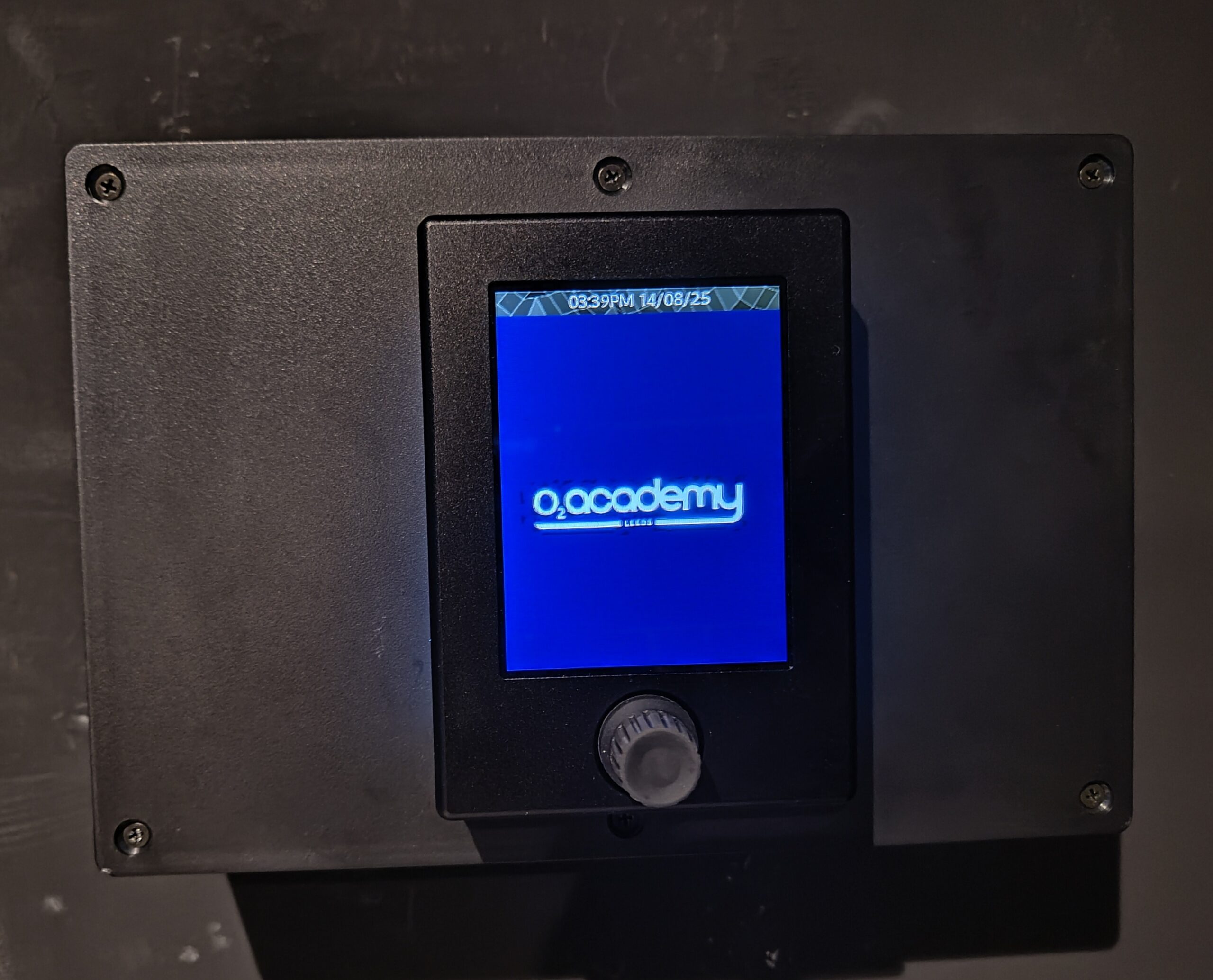
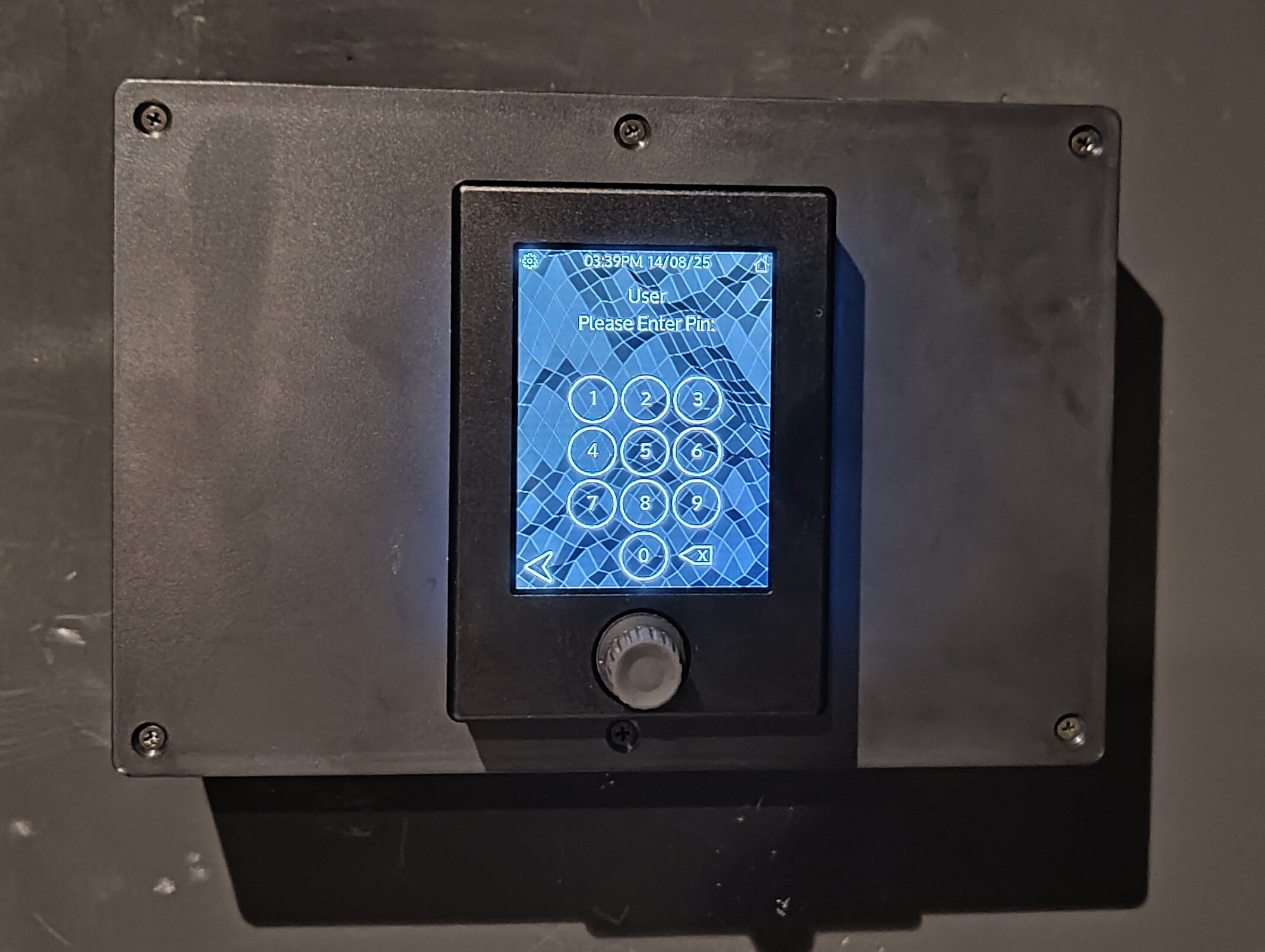
A final flourish is that Adlib have branded the remotes and locked the DJ Booth VR2!
Further Information & Possible Upgrades?
With a WiFi network already in place in the venue, the free of charge V-Remote app could be configured to offer staff roaming control of the venue, with various levels of access, perhaps mirroring some of the functions of the installed remotes. Find out more here:
V-Remote for iPhone – YouTube

For more information on the DM88 have a look at our YouTube playlist:

In Conclusion…
Final thoughts and kind words go to George again:
“I’m super delighted with it, the venue is too. Stephen Sparke the tech manager is very happy – he’s noted how much better it sounds as well. I’m also really impressed with the support and “extra mile” that [NST] went to, to ensure this went well. I can’t say I’ve seen service like that from many other manufacturers recently.”
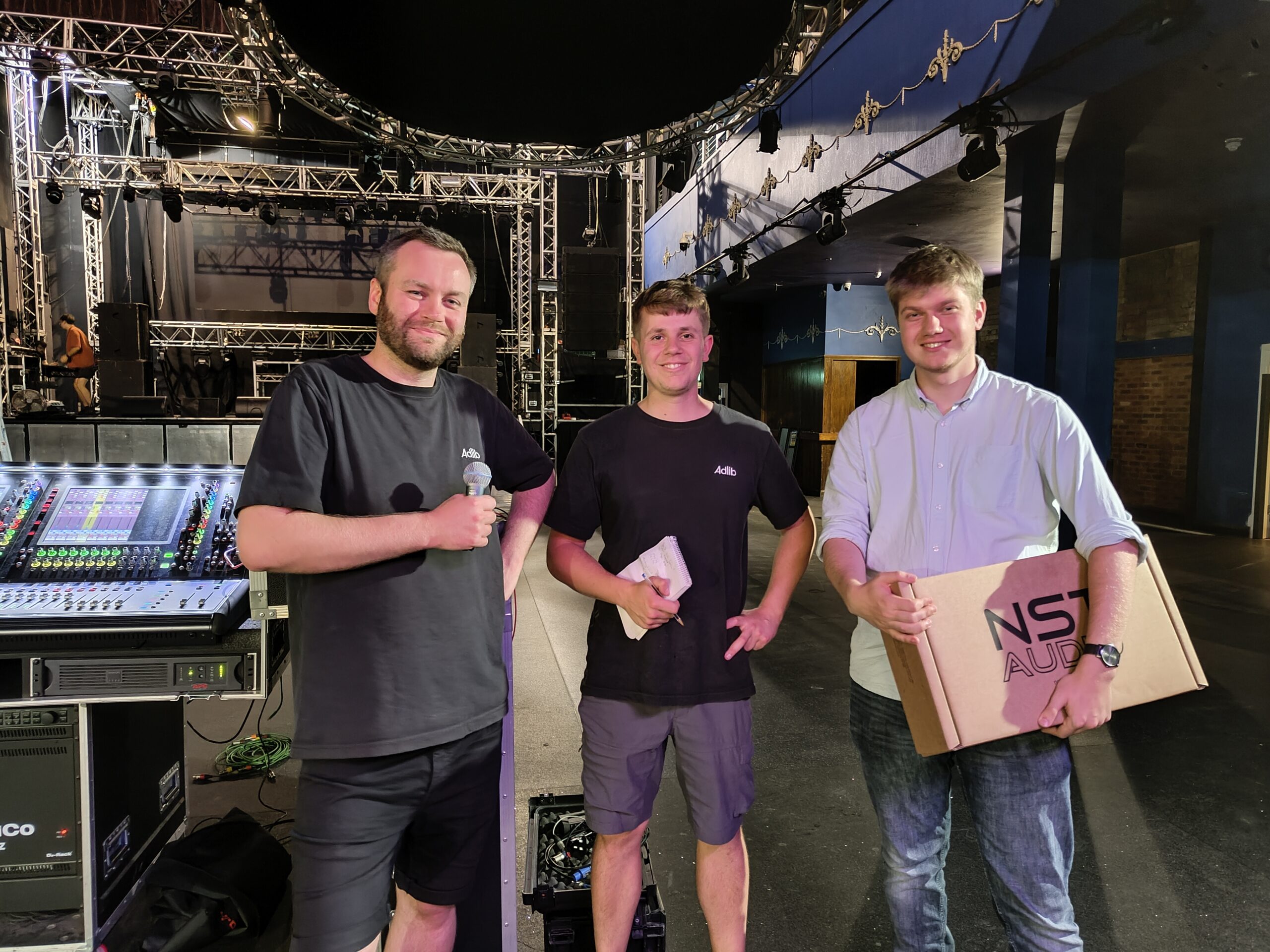
L-R George and Will, Adlib, Dawid from NST
Thanks again to George for all his help afterwards answering our questions on the install and for supplying the system file for us to examine for this case study.
If you’d like a printable copy of this to read offline, it’s available here.