
Case Study: Richmond Ice Centre, Canada
Introduction
The Richmond Ice Centre (RIC) is a multi-purpose recreational facility, located south of Vancouver in the city of Richmond, British Columbia, Canada.
Operating year-round, and featuring six regulation size arenas, this complex is one of the largest of its kind in Canada. The arenas are primarily used as ice surfaces from September through May for ice hockey as well as all types of ice-skating (both recreational and competitive). Up to 4 of the arenas can be converted to “dry floor” during the off-season for sports such as Lacrosse and Roller Hockey.
Due to the number of ice sheets offered in one location and proximity to transportation corridors, the Richmond Ice Centre is a popular destination and home to a wide variety of tournaments, some with as many as 100 teams participating.
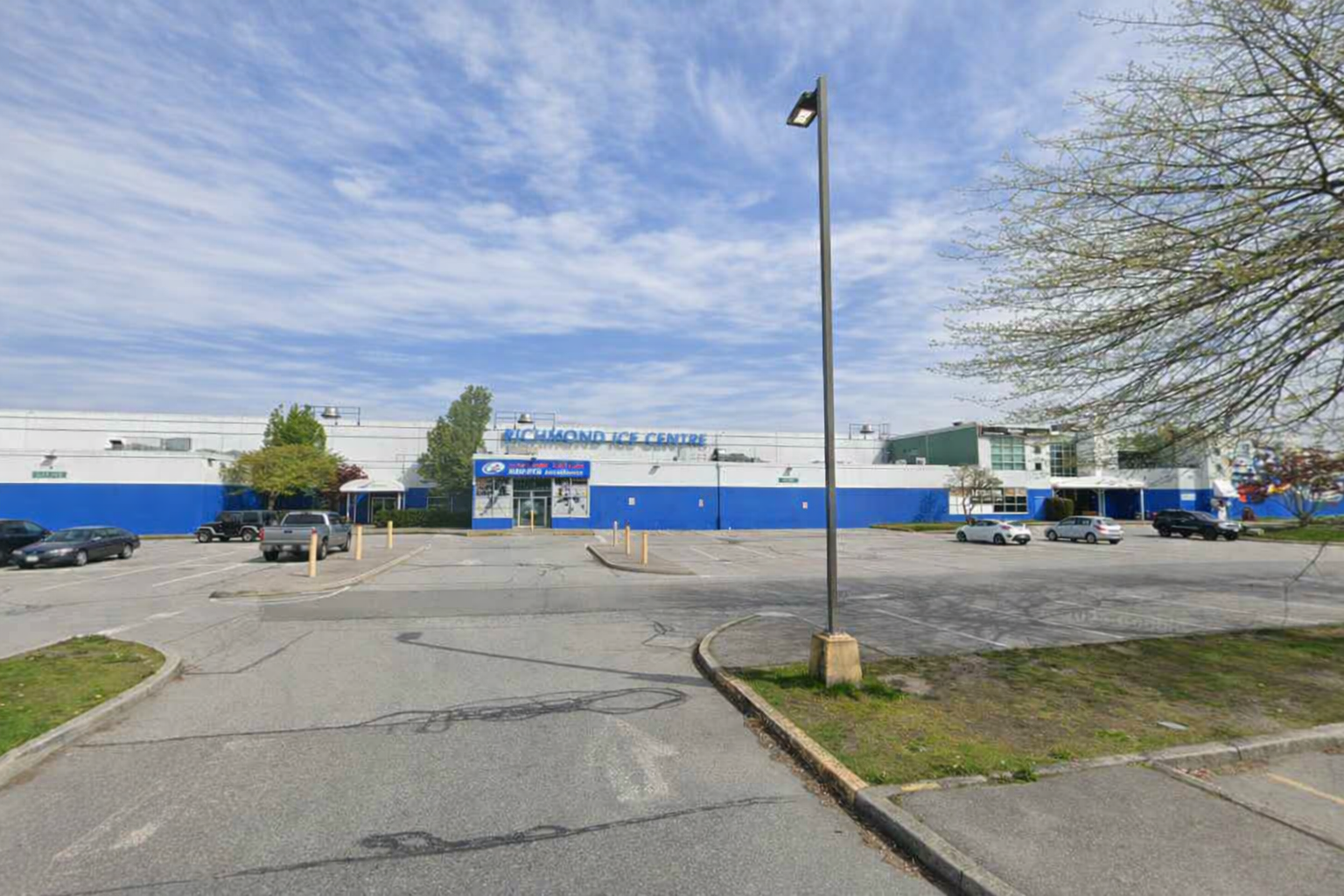
It’s a big slippery place the RIC
As users become more aware of the many technologies applicable to sport and recreation, their demands and expectations also continue to grow. Gone are the days of mini plugs mixers and cables, now supplanted by wireless microphones, Bluetooth cellphones and touchscreen controls.
To address these user requirements, the decision was made in 2024 to proceed with an audio system refresh at the RIC that would provide users in each individual arena with the simple access and operation of the technologies they have come to expect.
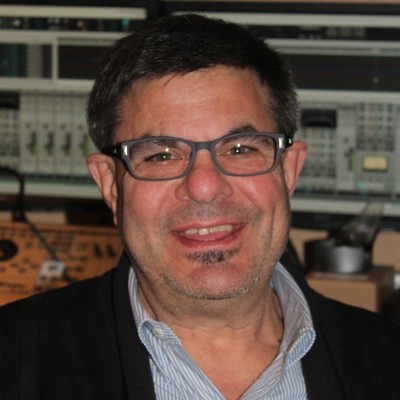
Harry Boyce, Contact’s Western Canada manager
Enter professional audio specialists, Contact Distribution. Based in Scarborough Ontario, Contact Distribution is a major Canadian distributor of professional audio products, including NST Audio.
Harry Boyce, Contact’s territory manager for British Columbia, Alberta and Saskatchewan, starts the story for us.
“This project began nearly a year ago with a mandate for the substantial update for the RIC’s facilities. There were several important operational features to be addressed, including Bluetooth streaming for every rink’s system, easy to use remote controls for choosing audio sources (with various levels of user and admin rights to keep things simple), plus direct mic inputs and line inputs AND…no mixing desk!”
Harry continues…” This all felt like a tall order, given there was also a requirement of centralised control from the office, Dante and everything (apart from the processors!) running on PoE.”
The solution was an ingenious and cost-effective use of just a single VMX88 and a VMO16 with VR2s doing all the hard work.
It’s A Team Game
Waring Hayes, NST’s Technical Brand Manager, delves further into Harry’s choice of NST processors for this unusual install.
“Harry had already discovered some cost effective ways of getting the required Bluetooth connectivity and other sources directly onto the network, and with some head scratching and a bit of lateral thought, we managed to achieve an elegant solution that fulfilled all of RIC’s system requirements. VR2s were key to this, and there are seven on the system!”
RDL have a vast selection of network audio endpoints which cover every conceivable situation, allowing Harry to find choose exactly what was required.
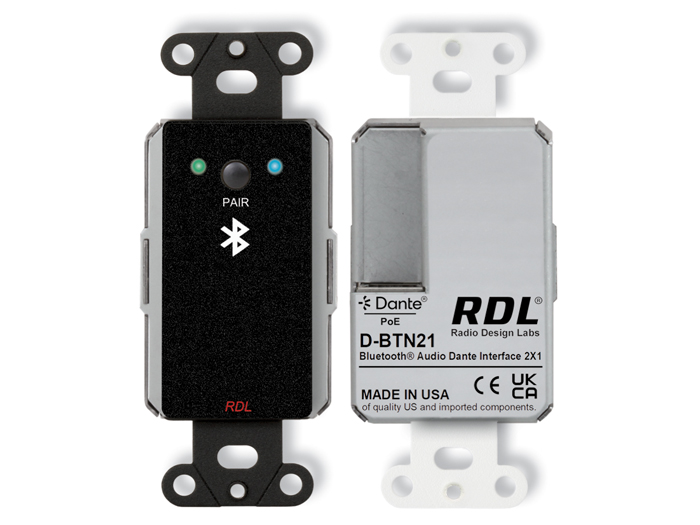
The RDL Bluetooth to Dante adapter (D-BTN21)
The Bluetooth to Dante adapter (D-BTN21) is designed to fit in a single gang switch outlet and is PoE powered, and simple to operate. Crucially can be configured to stream the BT output in mono as was required for this configuration. Given the acoustics of an ice rink, stereo audio is just not a requirement!
A complementary adapter, the DS-RN2ML offers a balanced mic input (with phantom power if needed) and a stereo line input (summed to mono) which stream onto Dante as two separate channels. This is also PoE powered. The Bluetooth adapter only supports 48kHz sample rate – again not an issue in this install but this determines the sample rate for the entire system, even though the VMX88 and VMO16 run at 96kHz by default.
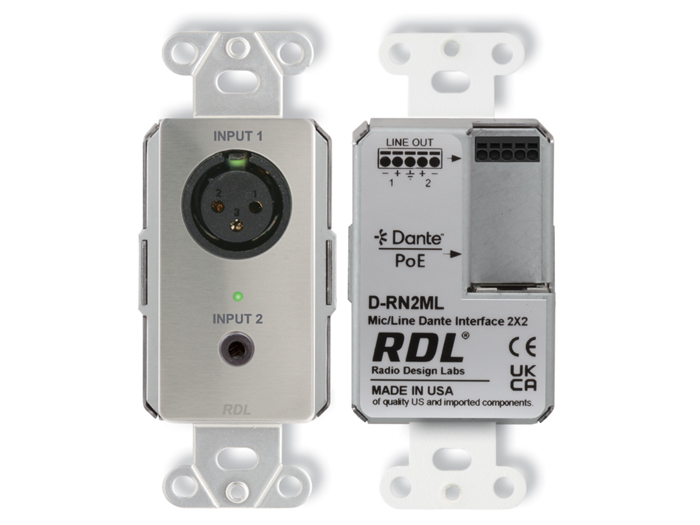
RDL DS-RN2ML – phantom powered mic in plus line level aux to Dante
The other inputs were centrally located in the RIC office: a PTT paging mic; a dual channel wireless mic receiver; an AM/FM tuner (mono) and lastly a CD/Bluetooth player (mono).
Analogue – Digital Faceoff
Harry kindly shared his physical connection plans with us so we can see how we managed to accommodate all six rinks plus some additional support for shared areas such as the lobby and corridor audio.
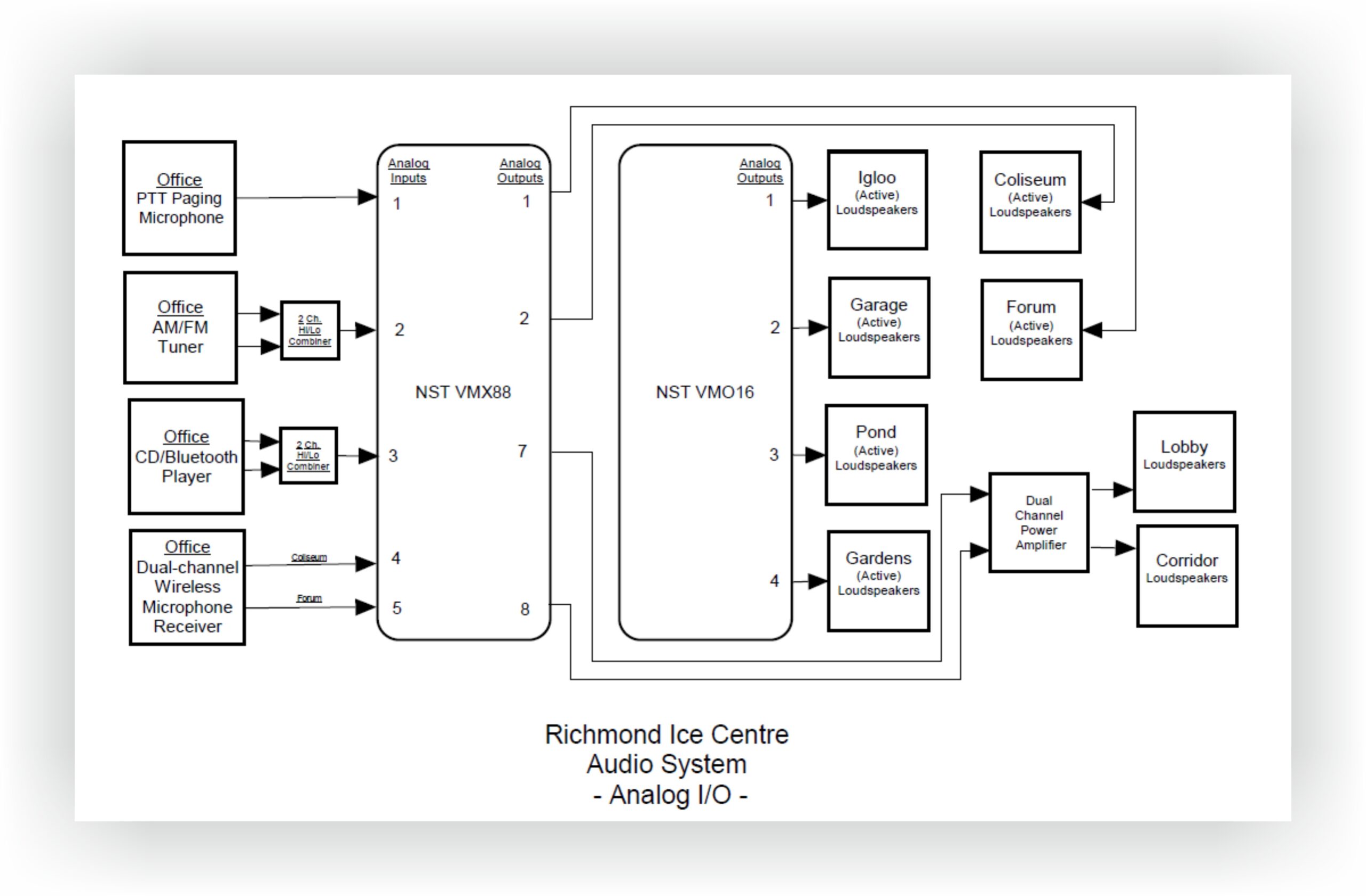
Harry’s analogue I/O plan
Each rink’s audio output feeds an active system which takes care of its own speaker management in mono, as in the design brief.
As most of the audio on the system is Dante based, the remaining analogue sources, all in the main office, feed the VMX88 analogue inputs. After a little EQ tweaking here and there, these also get streamed onto the network.
Often in a multi-zoned system such as this, with a proliferation of input sources and often as many output destinations as inputs, the I/O count is quite symmetrical in the end. In this case, there were many more inputs than outputs which allowed for some cost savings.
With a total of 22 Dante inputs from all the RDL endpoint break-in adapters and the analogue sources streamed onto the network, making all of these available to every output was not going to be feasible, given that a VMO16, even with a 16 x 16 matrix, would not allow for this.
However, the system zoning requirements did not have to accommodate all 22 sources being available for all outputs, as the need to pickup audio from one timekeeper’s box in another rink is never needed. Furthermore, not all rinks required access to the wireless mic streams, as these were on-ice announcement features only used on the “Coliseum” and “Forum” rinks.
So, some of the Dante inputs can be offloaded to the VMX88’s Dante matrix as Harry shows in his channel mapping:
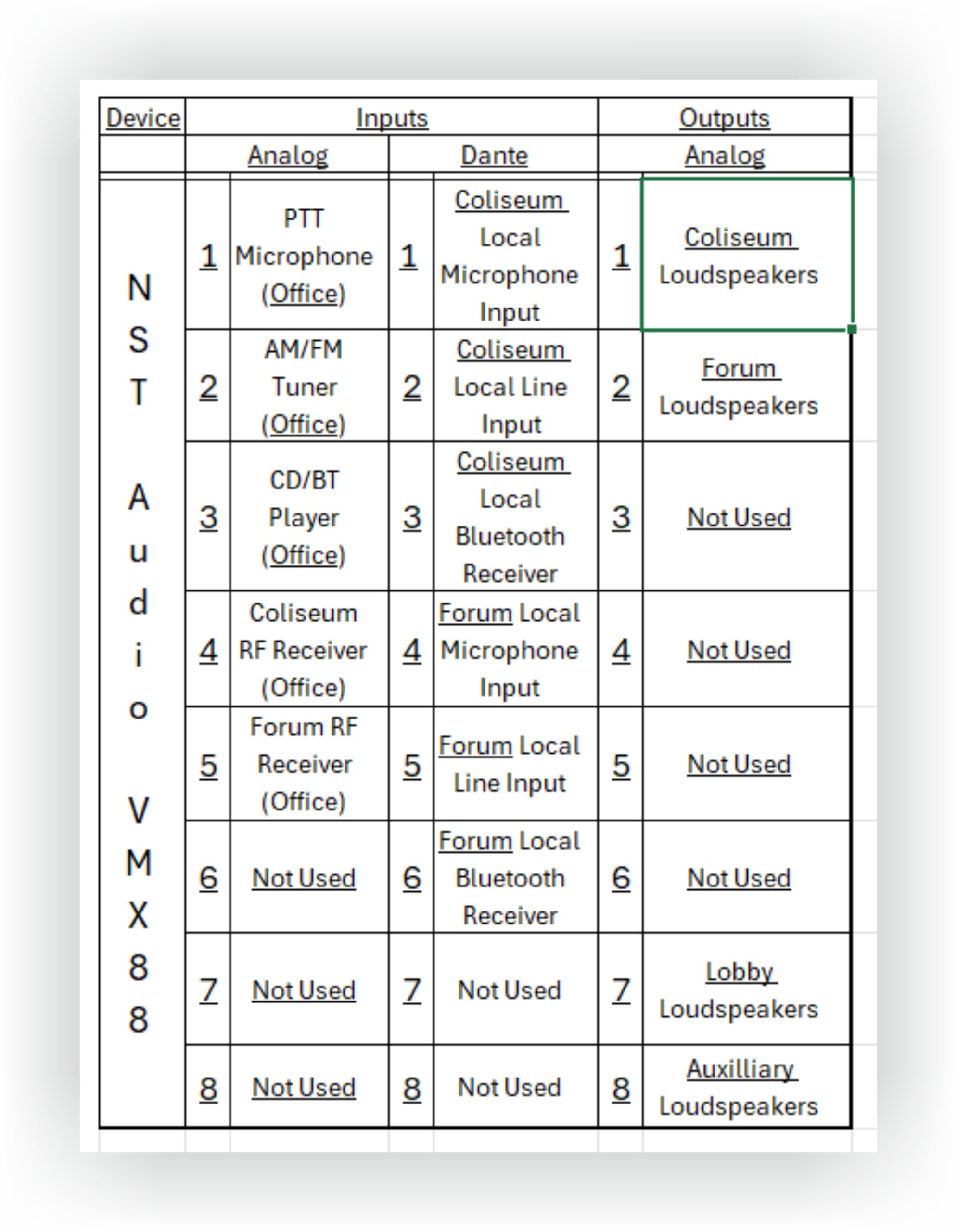
Harry’s channel mapping for the VMX88
Note that the “Coliseum” and “Forum” outputs come from this processor as this neatly allows the Dante input matrix to cater for all source requirements on these two rinks. The VMX also handles the Lobby and Aux (corridors) output zone mixes.
The remaining four rinks (“Igloo”, “Pond”, Garage” and “Gardens”) have identical requirements with Bluetooth and a mic/line input in each timekeeper’s box, along with a VR2 to mix the levels fed out to that rink’s active speaker system.
These constraints on what needs to be available where allowed us to localise Dante connections to the VMO16. Each rink which has its analogue output from the VMO16 will have access to its local (network) feeds from BT, line and mic, plus the common office sources of PTT mic, tuner and CD player.
This leads to the following mapping on the VMO16:
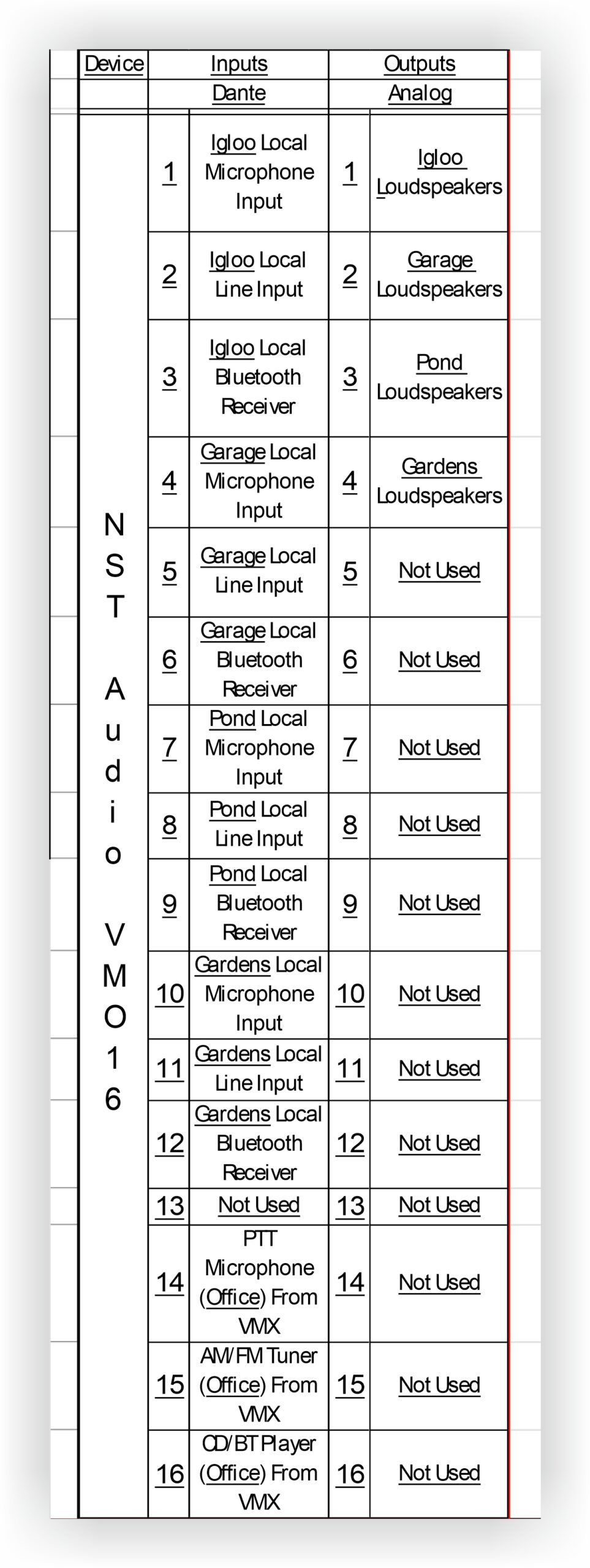
Harry’s VMO Dante inputs and analogue outputs mapping
How It All Works In D-Net
Central to the entire system design is the mapping of Dante channels to the correct devices and this has been dealt with in Dante Controller as defined by the previous tables. As the VMX and VMO aren’t being tasked with speaker management, any EQ on inputs or outputs is only for slight corrective purposes.
This is reflected in the VMX inputs as shown here:
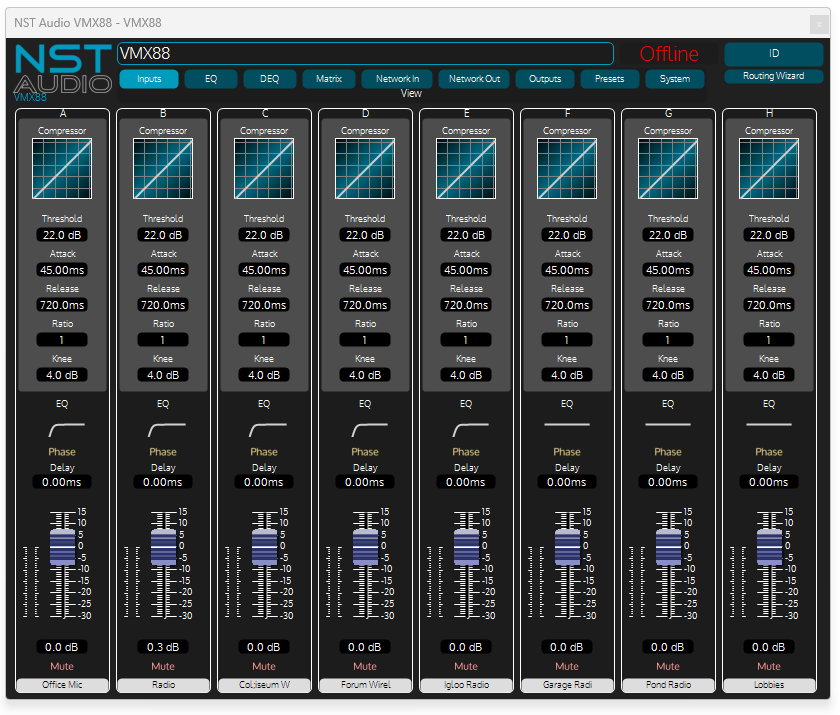
VMX Inputs in D-Net
Analogue inputs 1-5 have a little LF roll-off across the board as exciting an ice rink with lots of low frequencies isn’t a good idea for intelligibility! The final three inputs, not on Harry’s original plan, were later additions for background music injection if required.
Examining the VMX88 outputs as originally mapped, outputs 1&2 also have a little failsafe LF roll-off. This is in place as the mic inputs which are all going to be mixed through the Dante matrix do not have access to EQ. Given that the system is outputting to active speakers in all cases, no further speaker management is required so, no limiting and no crossovers.
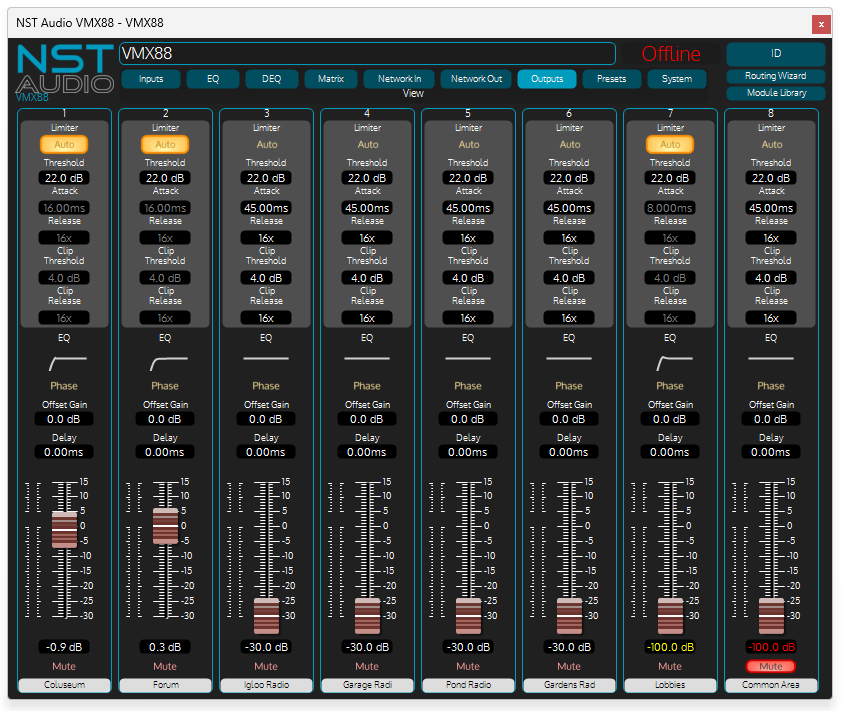
VMX Outputs in D-Net
Outputs 3-6 are later additions for background music feeds when the main system is not powered up, and outputs 7&8 are as mapped for the lobby speakers and the corridors (Common Area). Lobby speakers are rolled off a little at the LF as they are ceiling speakers which can’t reproduce much below 80Hz anyway, so little point wasting power sending it to them.
The VMO16’s outputs are set up like this:
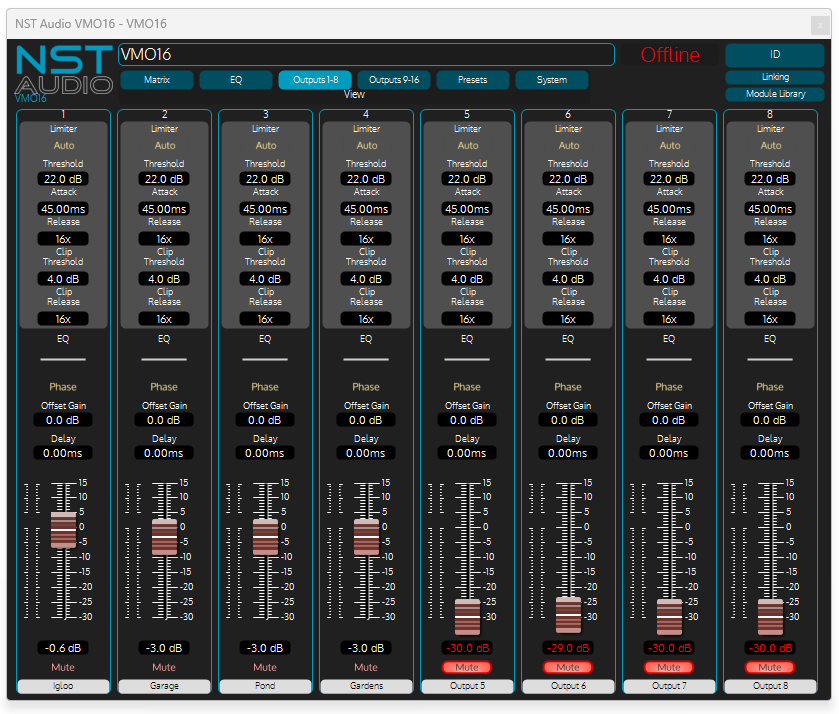
VMO Outputs in D-Net
Only the first four outputs are used – these feed the mono analogue signal to the respective rink’s system, again with no need for corrective EQ or speaker protection as this will be taken care of further up the signal path.
No mixer required! VR2 configurations
No more individual analogue mixers needed. No more wall-wart power supplies. No more channel labels that get rubbed off every week and no more beer getting spilled into faders!
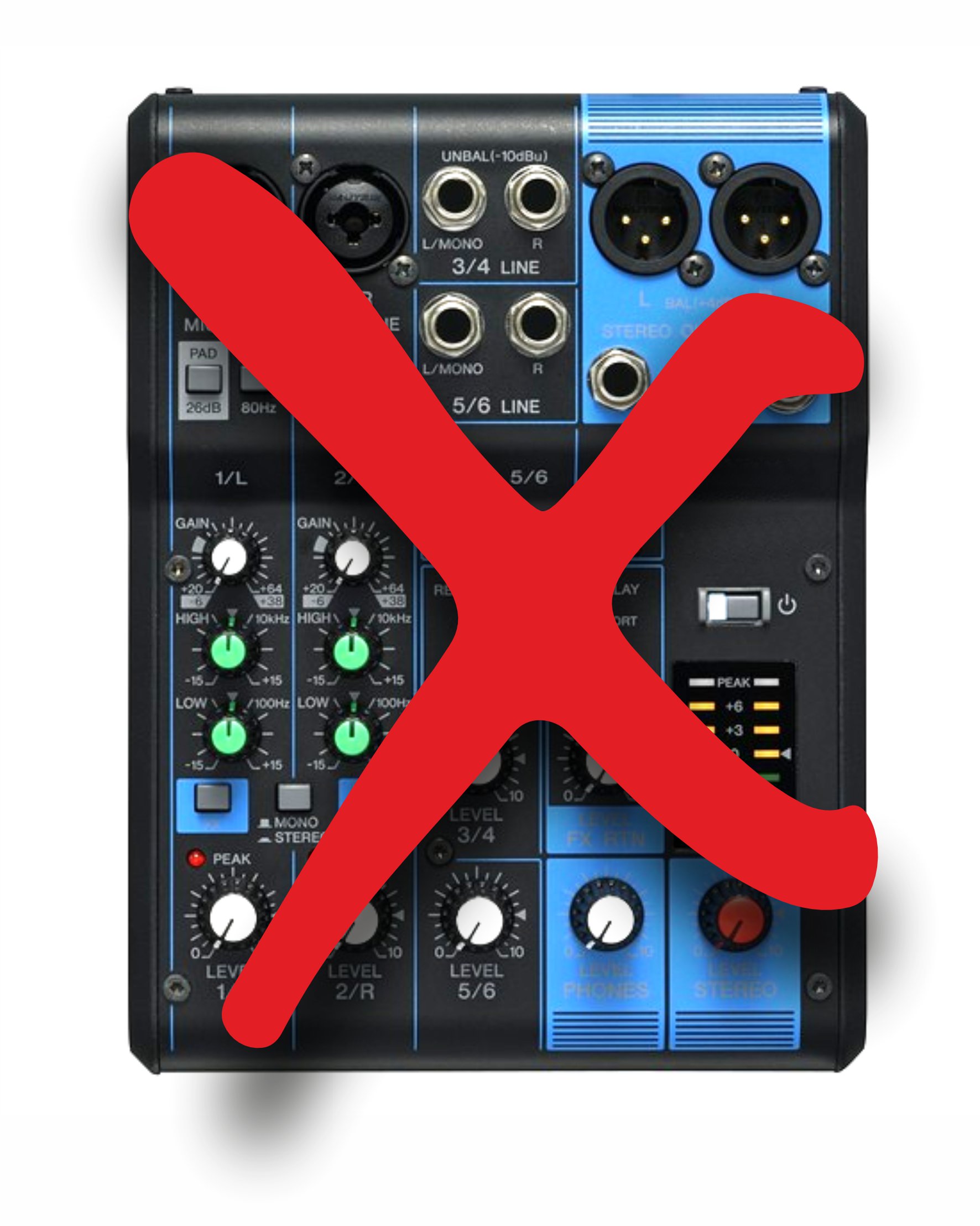
No more sticky little mixers!
For around the same cost as a good quality small format analogue mixer, and with more flexibility, and an all round better user experience, using VR2s to manage each rink’s audio is a match made in heaven!
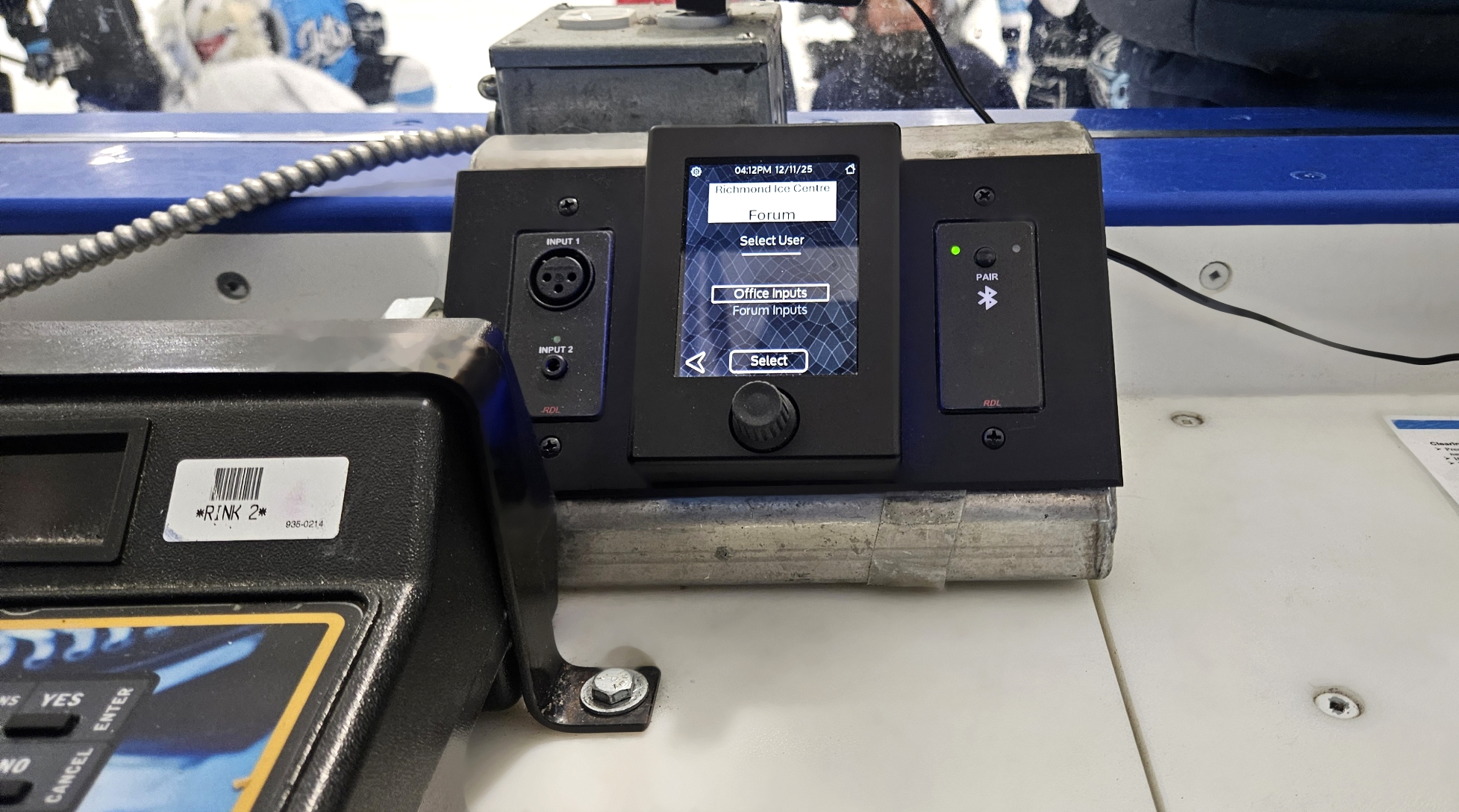
RDL-VR2-RDL in custom-made pod, all PoE powered with 5 -port switch
With everything now on the network upstream of the amplifiers, it’s easy to set up a VR2 for each rink and assign gain controls to all the sources needed.
Here’s how it was done.
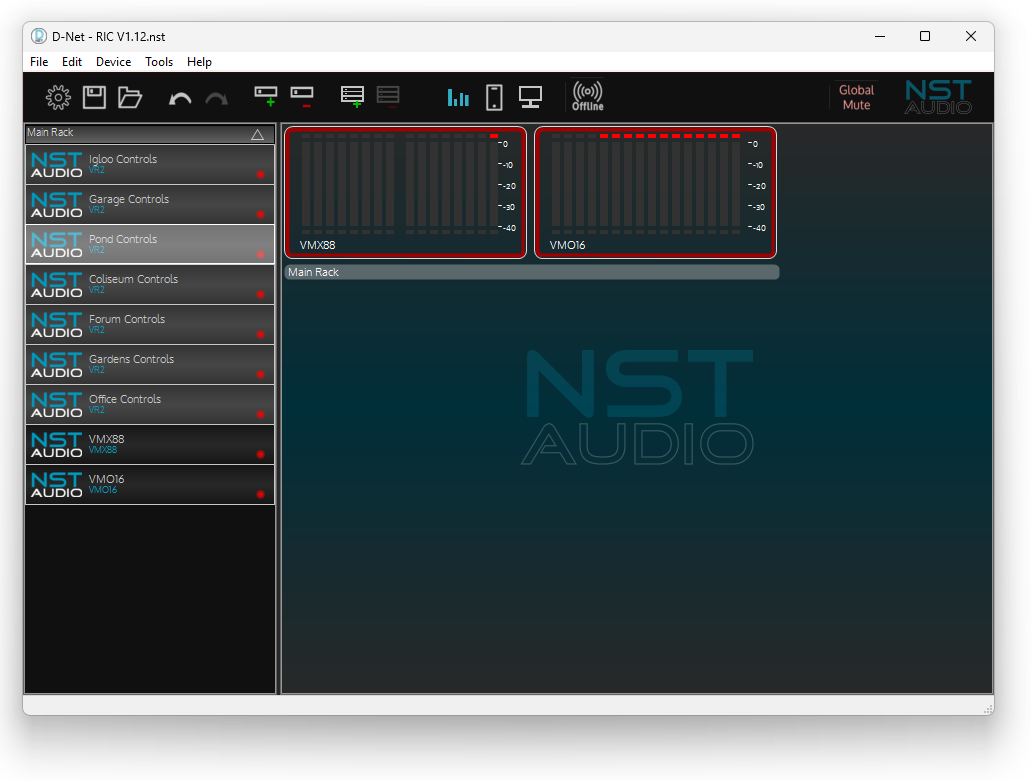
All rinks, all VR2s – the system file in D-Net
A total of seven VR2s are used to control all day-to-day aspects of all rinks’ audio. Each rink has its own, along with a Bluetooth to Dante adapter, and a Mic/Line to Dante adapter.
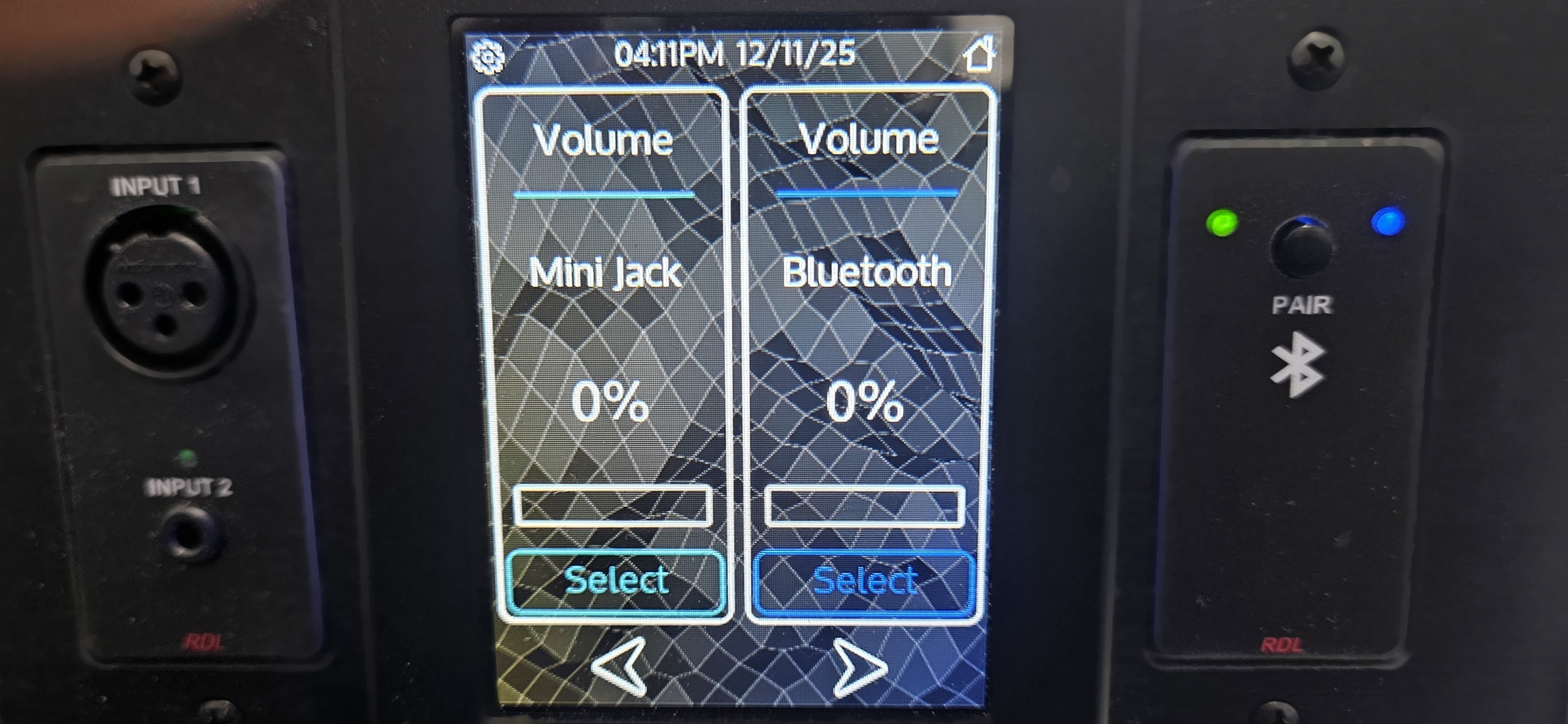
Close-up of a rink-side VR2 in each timekeeper’s box
To better group controls on the VR2, each has been set up with two “users”, without PINs, which allows control pages to be allocated access rights. This means that different users will see different controls if necessary. By not using PINs on each user (or group), the system can be used as a method to just de-clutter the controls making it easier to operate.
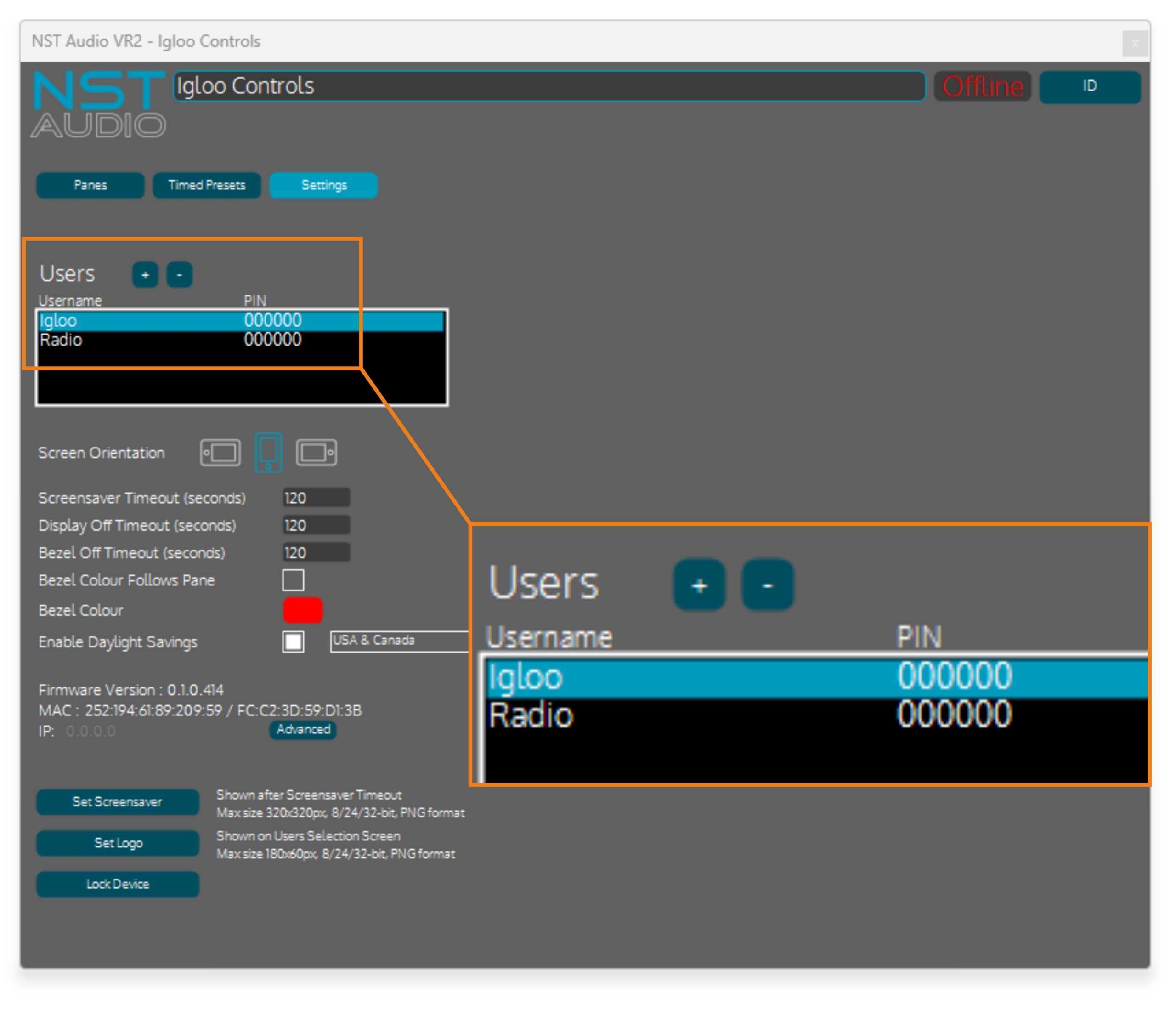
Two “users” used to create groups of controls for easier operation
This “grouping” can be set up either before or after all the controls needed on a particular VR2 have been created.
There’s more info on using “users” for grouping here (link opens in new tab):
VR2 – Touch Venue Remote: Adding different users to group controls
Four of the six rink VR2s have “identical” functionality – that is, a set of 4 volume (gain) controls for the radio located in the office for BGM, and the three local sources (BT, mic and mini-jack) that share the console. These have been grouped as two “users” as Igloo” (in this case) and “Radio”, and permissions given so “Radio” will only show a single control for adjusting the matrix level of this Dante input, and “Igloo” for three more for the local controls.
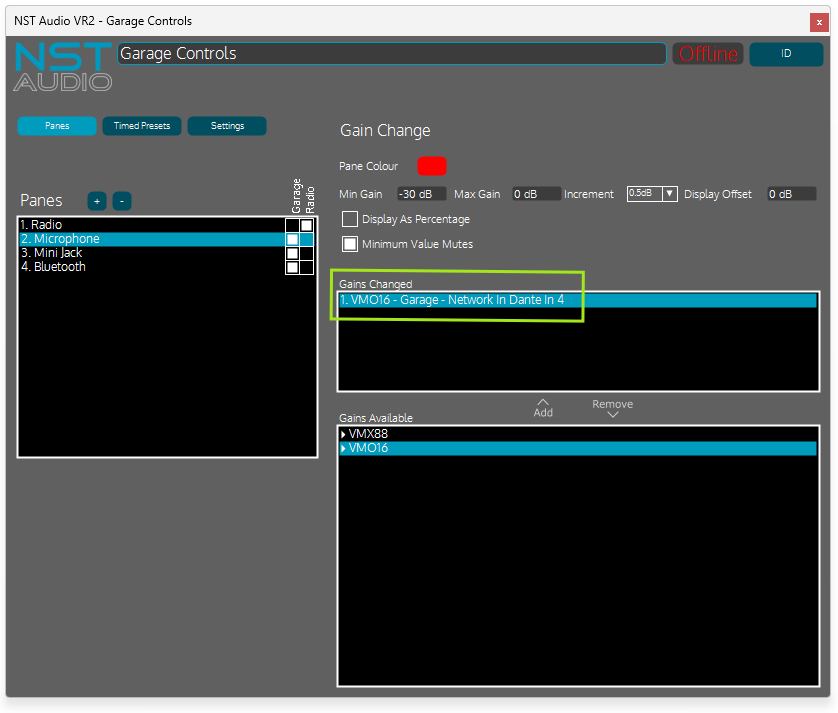
“Garage” rink’s controls showing the mic gain set-up
Note that the gain selected to be adjusted, in the green box above, would have the actual Dante channel name as set in Dante controller (so, something more usefully descriptive) were these screenshots from the live system.

Adjust the VR2 LED sidebars dynamically for every control
The “Microphone” one has been purposefully highlighted in this example to mention the Pane Colour setting. This changes the colour of the LED sidebars on the VR2 when the pane is selected or adjusted and serves as extra feedback of the control, in this case the other three volumes are blue and the mic is red as a warning!
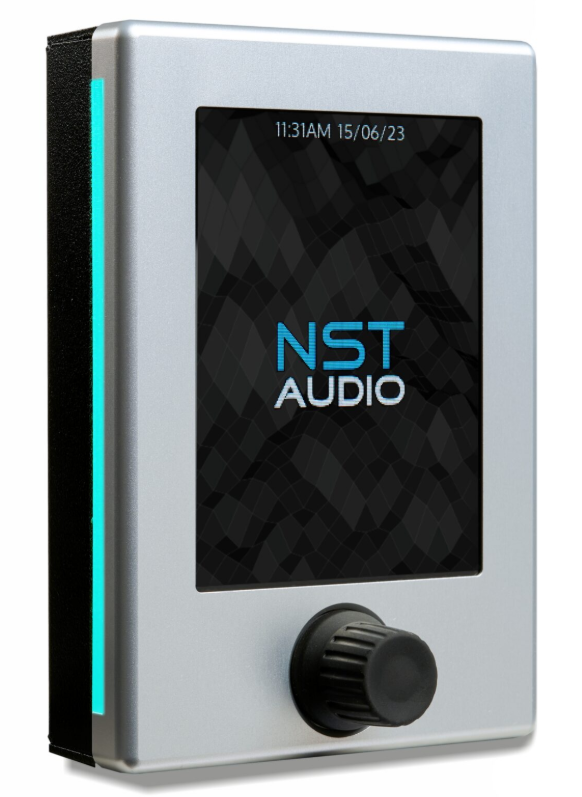
LED sidebars can be set to change colour to help with navigation or warn about a sensitive control…
As mentioned previously, four of the six rinks are configured just like this, and the other two only differ insofar as they include an extra control for their wireless mic input:
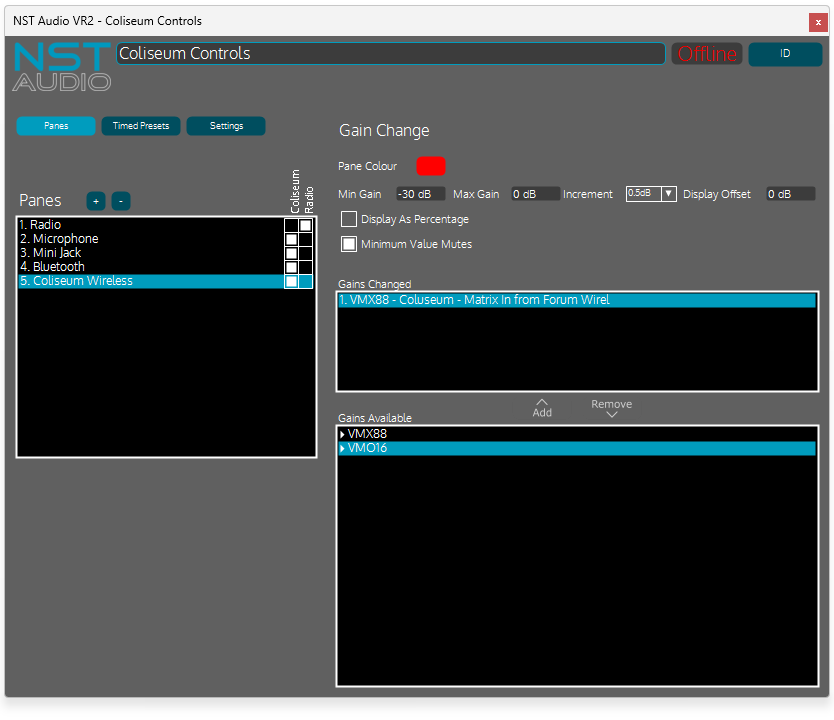
“Coliseum” control
Also note the range available to this gain control. Whilst it is set to be from 0dB down to -30, the “Minimum Value Mutes” option is checked that means it can continue down to -100dB to turn it off completely. Below -30 it will decrement in 3dB steps to reach the “mute” quickly when turned.
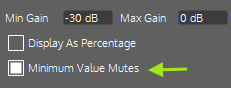
Check this on a gain control to allow a -100dB range
Lastly, the office has its own VR2 to allow remote control over each rink’s overall level, and each of the shared areas, split across two basic groups, “Lobbies” and “Rink Masters”:
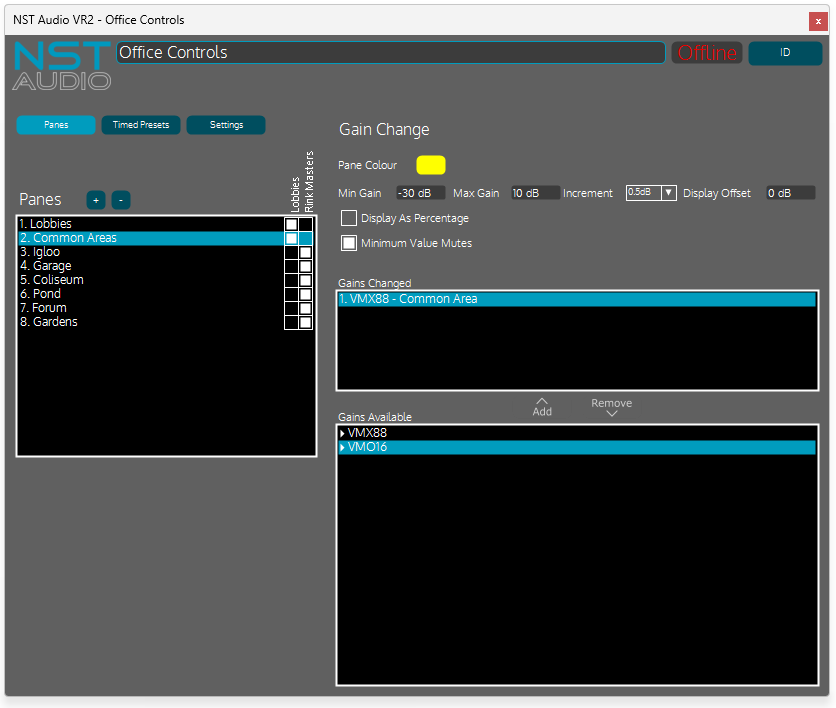
Two “users” set up again to group controls in the office…
These volume controls are manipulating the VMX and VMO output gains as opposed to matrix gains, but otherwise they work in the same way.
Moving Up a League?
As all the new gear and VR2s send audio and control via standard Cat5, and use off-the-shelf pro Netgear switches (a small 5-port Netgear PoE enabled switch is located at each rink’s controls – model GS305EPP), if there is WiFi available on the rinks, staff could benefit from the use of V-Remote to replicate what is available on each VR2’s controls.
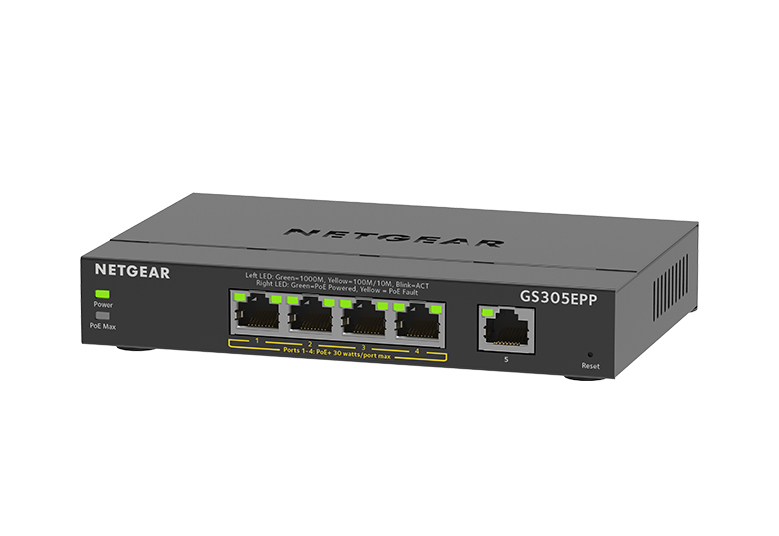
Netgear GS305EPP – neat 5-port switch in the “Pro” range with PoE on four of the 5 ports
This free app for iPhone and iPad allows many of the same controls (including multiple users groups) to be created as a configuration file that is stored within the audio system. The config file design process is very similar to setting up a VR1 or VR2 and an audio device on the system is nominated to store the file (so one of the VMX88/VMO16/DM88 devices).
This in turn means if any member of staff downloads the V-Remote app onto their mobile device, as long as they are connected to the same WiFi network as the VMO or VMX, running the app will find the config file automatically and download and configure the app.
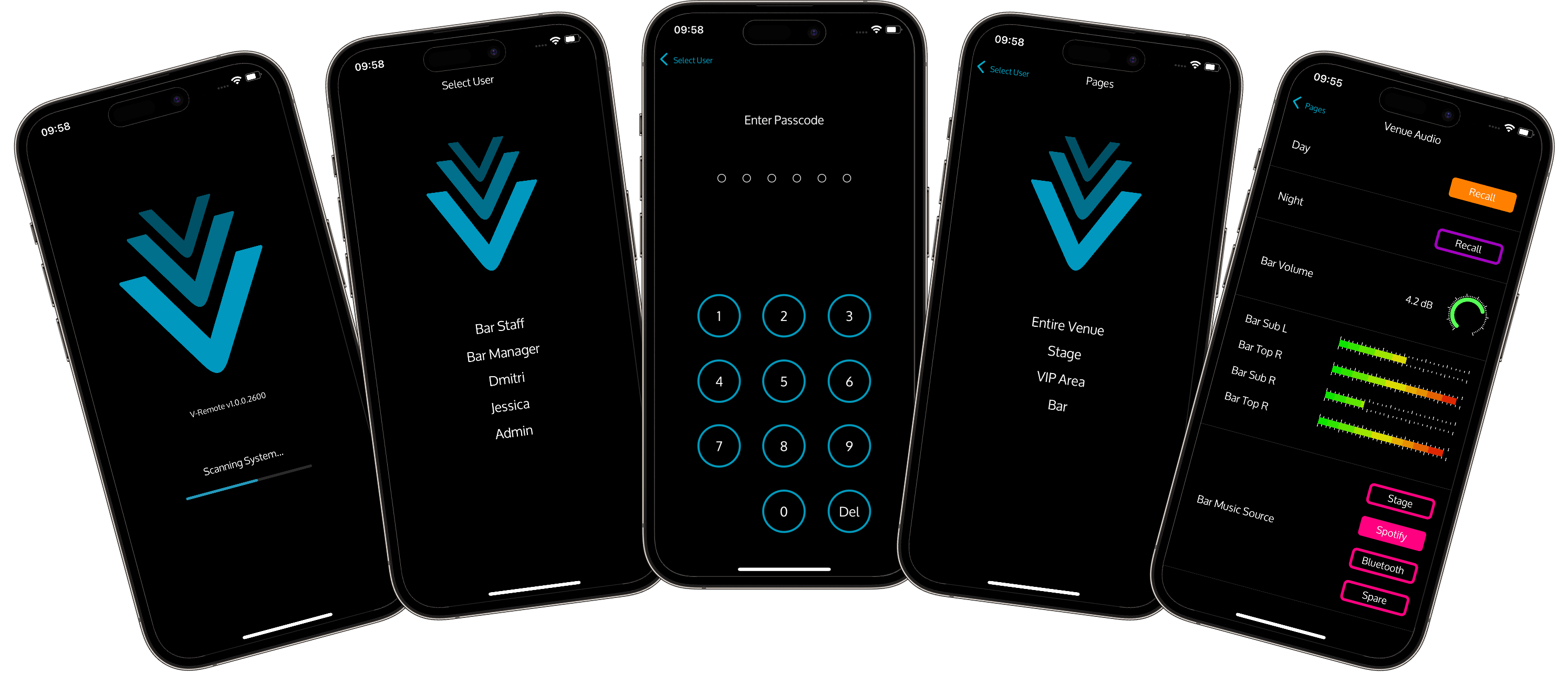
V-Remote offers roaming convenience with simple control of key audio system features
Only the controls exposed via this config file are available to the user(s) and through the combination of PINs and permissions, it can be made very secure and tamperproof with different staff members being given different PINs to only let them control certain parts of the entire system.
More info on how this all works is here, along with a suite of videos showing its configuration process (opens in new tab):
V-Remote for iPhone and iPad – NST Audio
The Final Horn
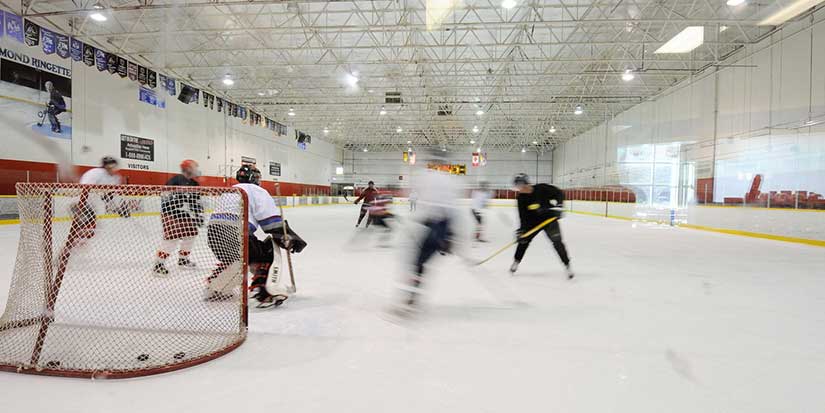
Pucker up – better sound for everyone
With just a single VMX88, and VMO16 and seven VR2s, the Richmond Ice Centre now has a modern network audio system with reconfigurable remotes on every rink and a master control from the office.
Audio can be rerouted at will using Dante Controller, and additional controls can be added to the rinks’ individual VR2s if ever required.
Harry had this to say of the new system:
“It’s the staff and the hockey officials who will feel the benefit of this amazingly easy to use new audio install, as much as the members of the public. It’s slick, simple to use and a dream to install and configure.”
Thanks again to Harry for all his help afterwards answering our questions on the install and for supplying the system file for us to examine for this case study.
If you’d like a printable copy of this case study to read offline, it’s available here.